CRMLS Paragon Website Redesign

CRMLS Paragon Website Redesign

Streamlining Property Search for Real Estate Agents

Streamlining Property Search for Real Estate Agents

Timeline

Jan - Mar 2025

Role

UX Researcher, UI Designer

Team

Anson Wen

Diana Serrano

Shane Jovel Caldo

Overview

We interviewed a local real estate agent to understand her professional experience and workflow.

Through a walkthrough demonstration of an important task of their choice, we uncovered critical challenges in CRMLS Paragon, directing our focus on redesigning the platform.

Through a walkthrough demonstration of an important task of their choice, we uncovered critical challenges in CRMLS Paragon, directing our focus on redesigning the platform.

Through a walkthrough demonstration of an important task of their choice, we uncovered critical challenges in CRMLS Paragon, directing our focus on redesigning the platform.

Specifically revealing that the property search process is time-consuming and prevents agents from building their client base and providing adequate attention to existing customers.

Specifically revealing that the property search process is time-consuming and prevents agents from building their client base and providing adequate attention to existing customers.

Specifically revealing that the property search process is time-consuming and prevents agents from building their client base and providing adequate attention to existing customers.

Timeline

Jan - Mar 2025

Role

UX Researcher, UI Designer

Team

Anson Wen

Diana Serrano

Shane Jovel Caldo

What is CRMLS Paragon?

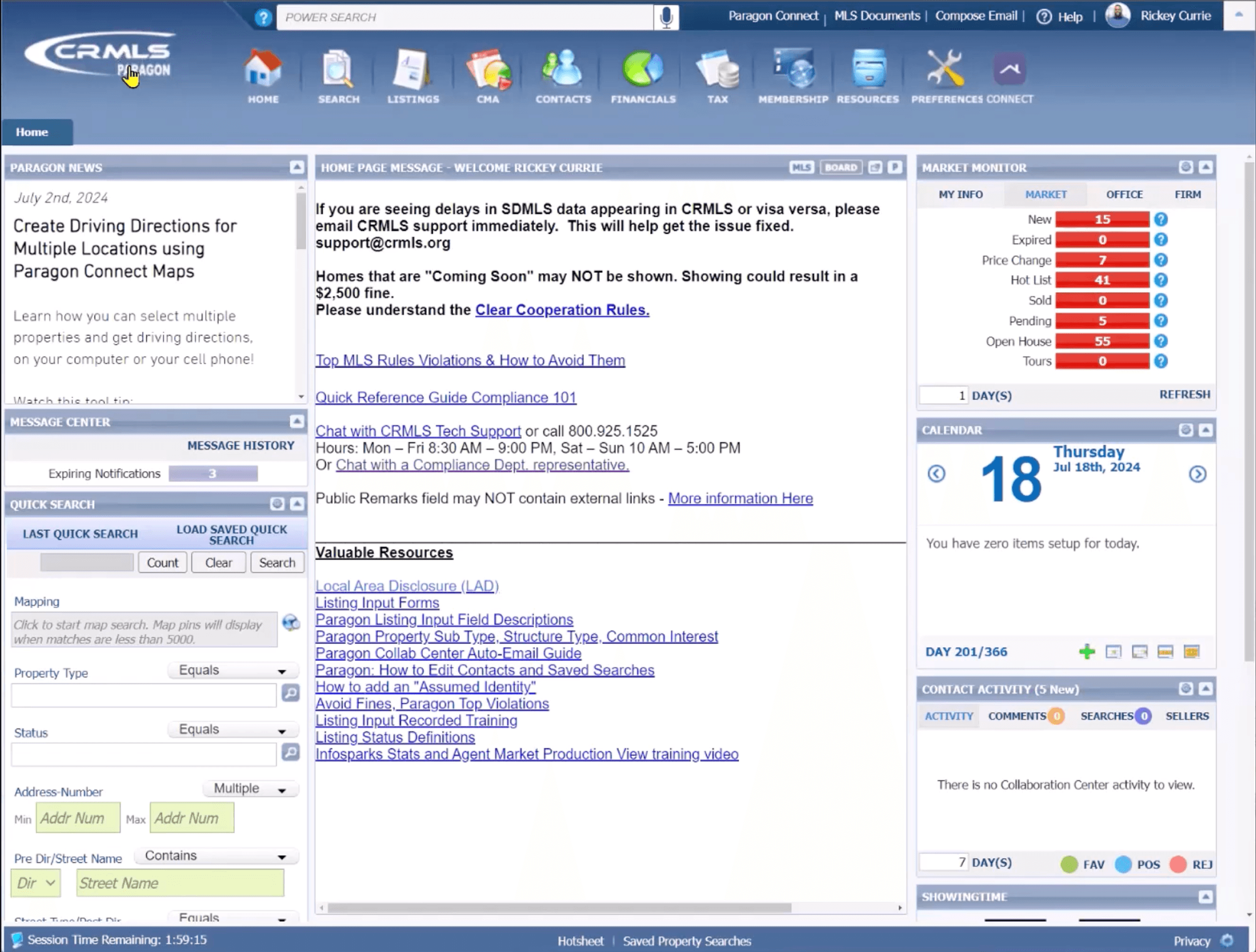
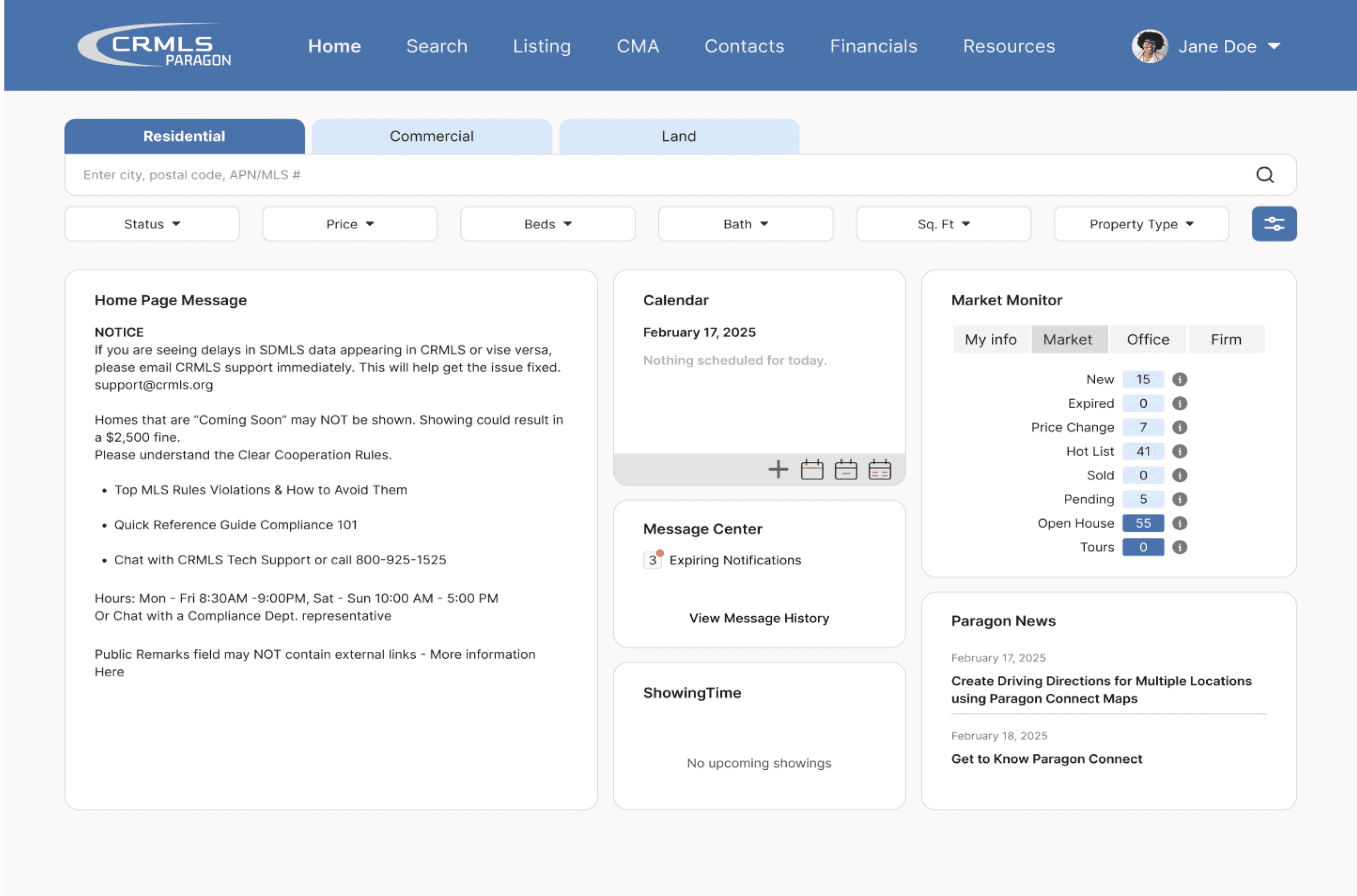
California Regional Multiple Listing Service (CRMLS) Paragon is a web-based application for real estate professionals.


The platform provides tools and features for agents to maintain communication with clients, find and manage listings, as well as access real-time updates to market data.

California Regional Multiple Listing Service (CRMLS) Paragon is a web-based application for real estate professionals.


The platform provides tools and features for agents to maintain communication with clients, find and manage listings, as well as access real-time updates to market data.

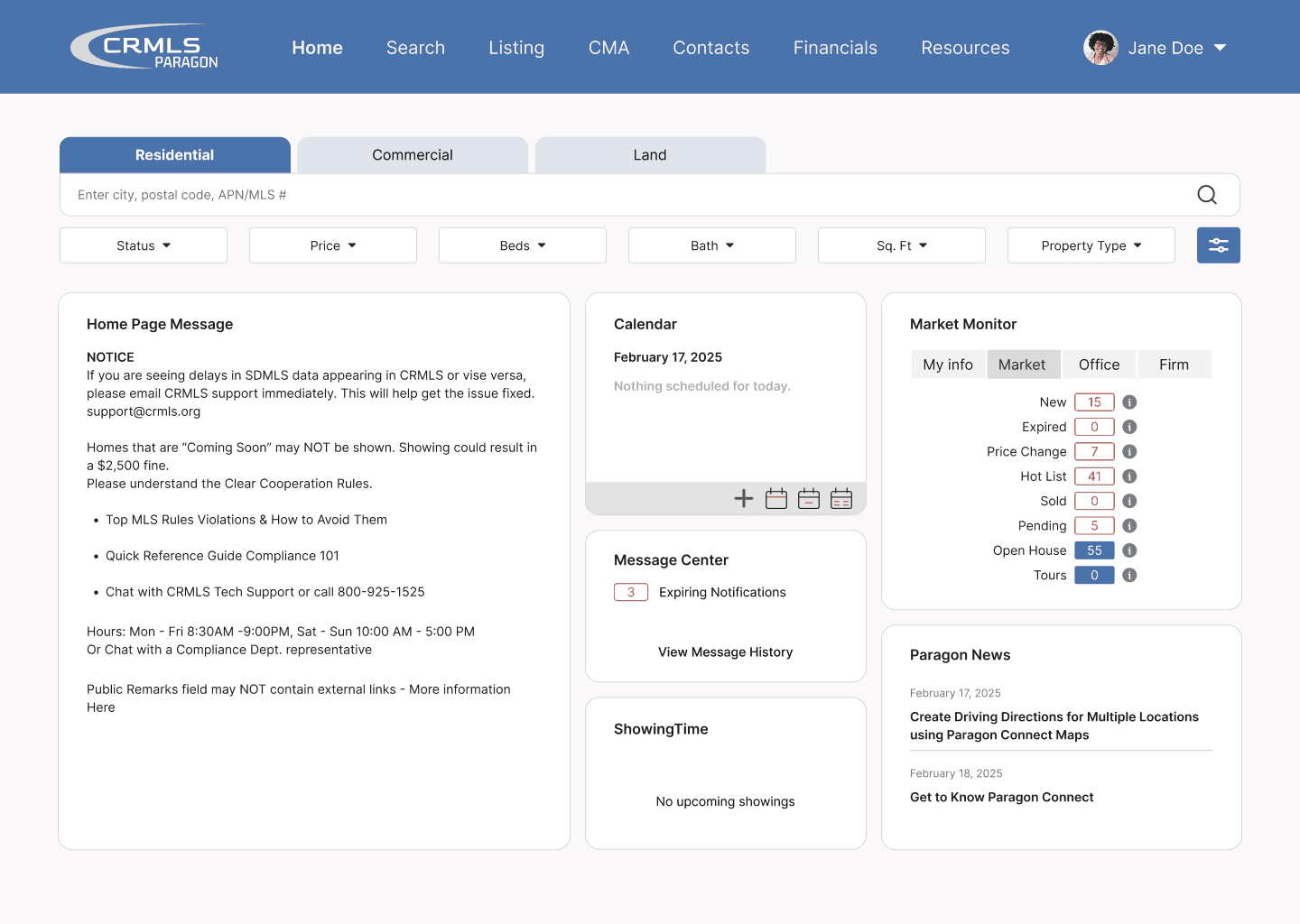
Homepage

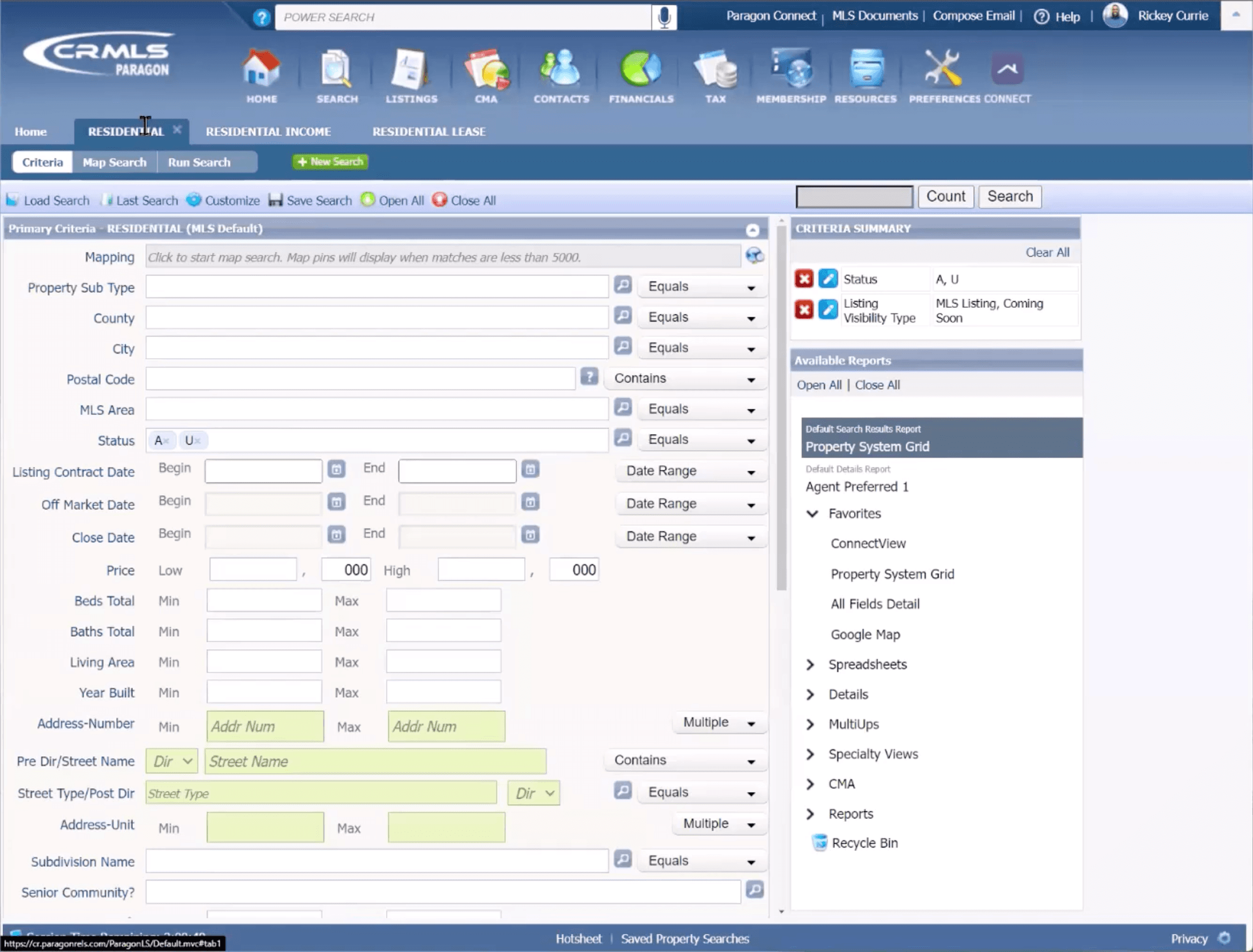
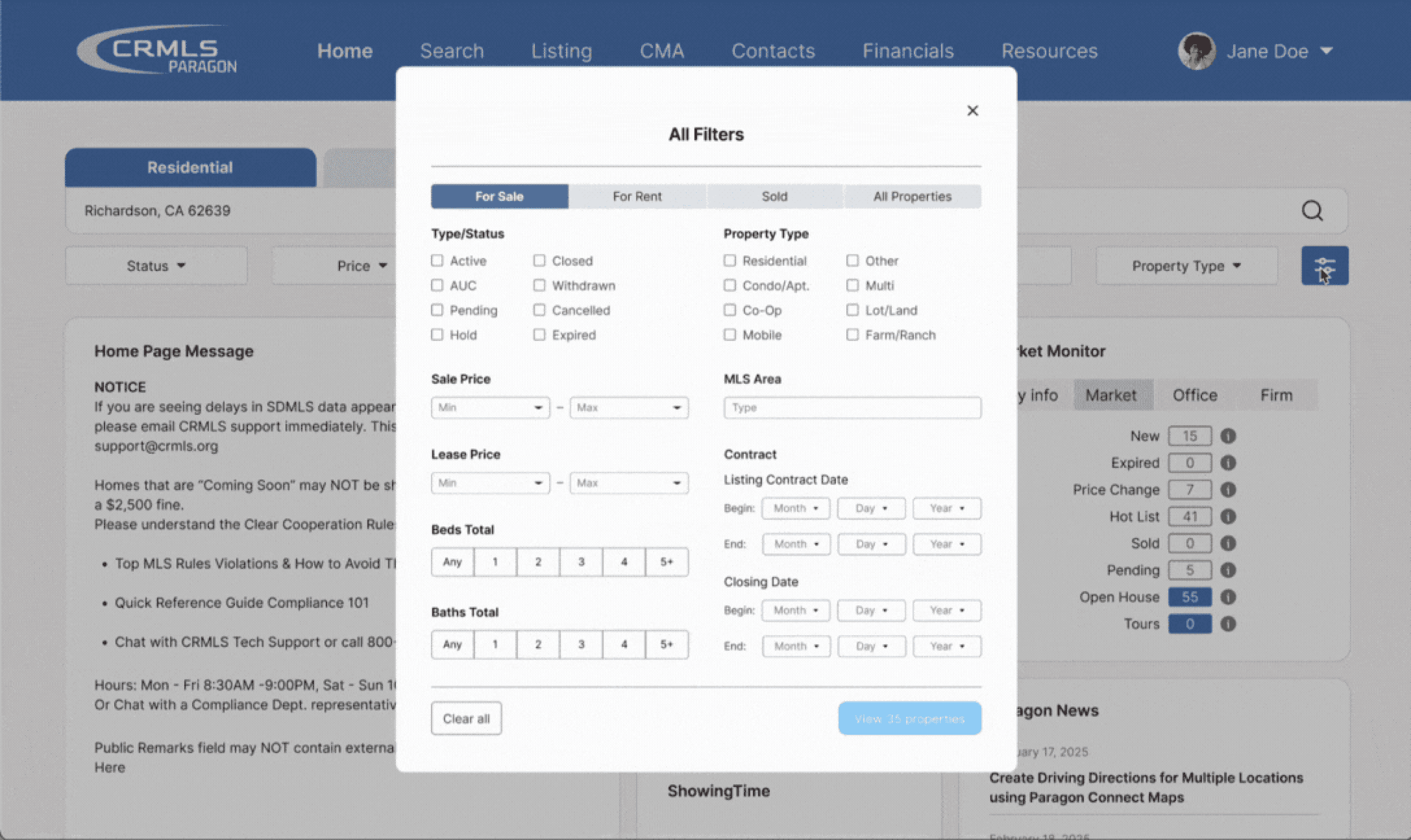
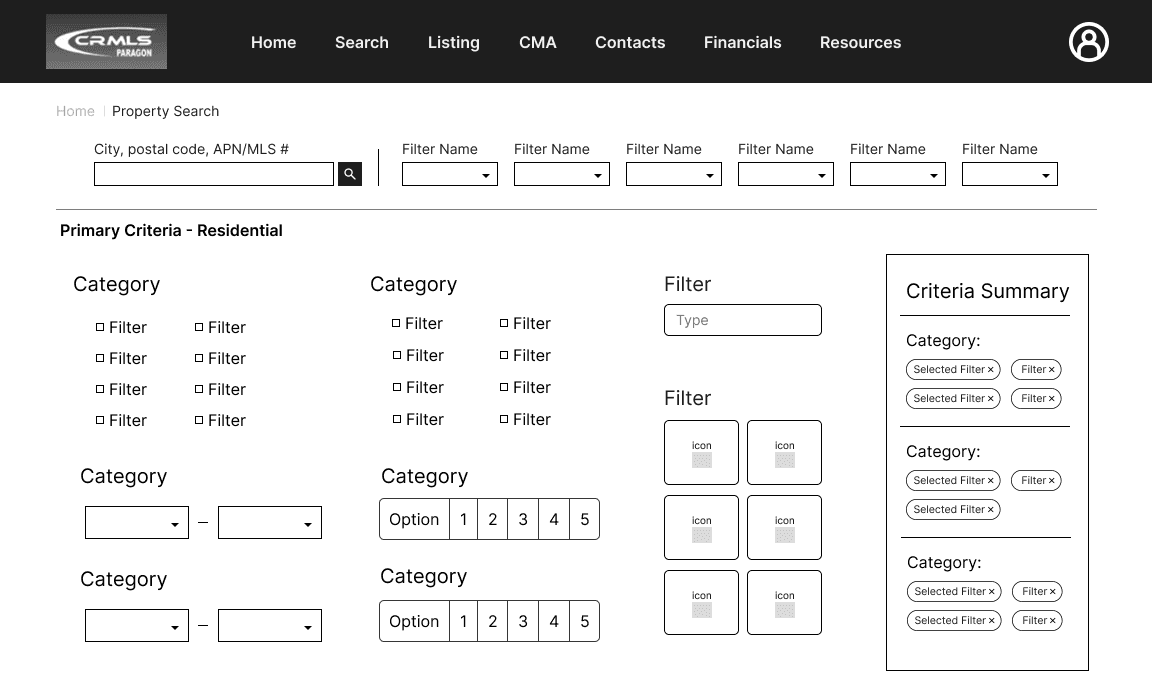
Filters/Search Page

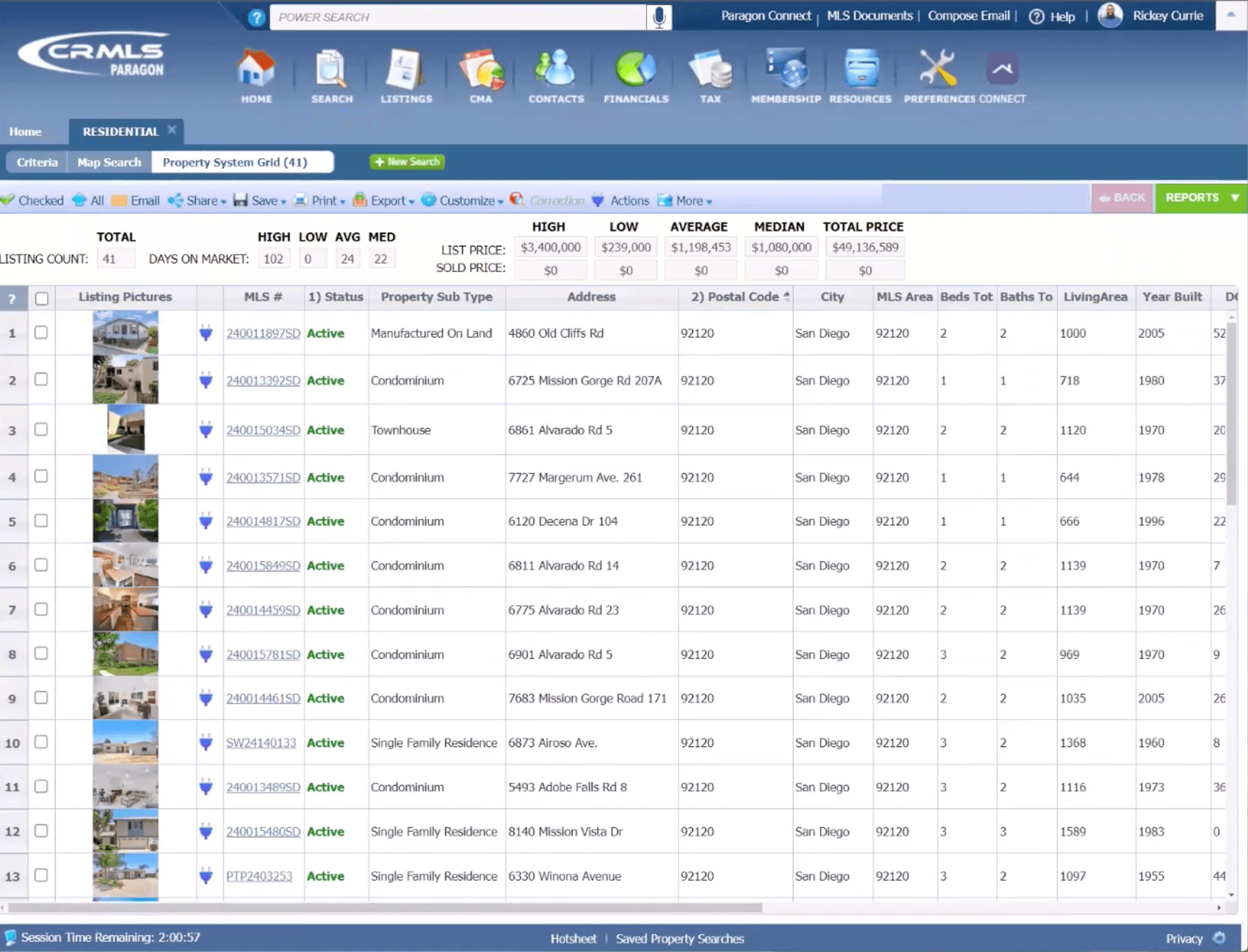
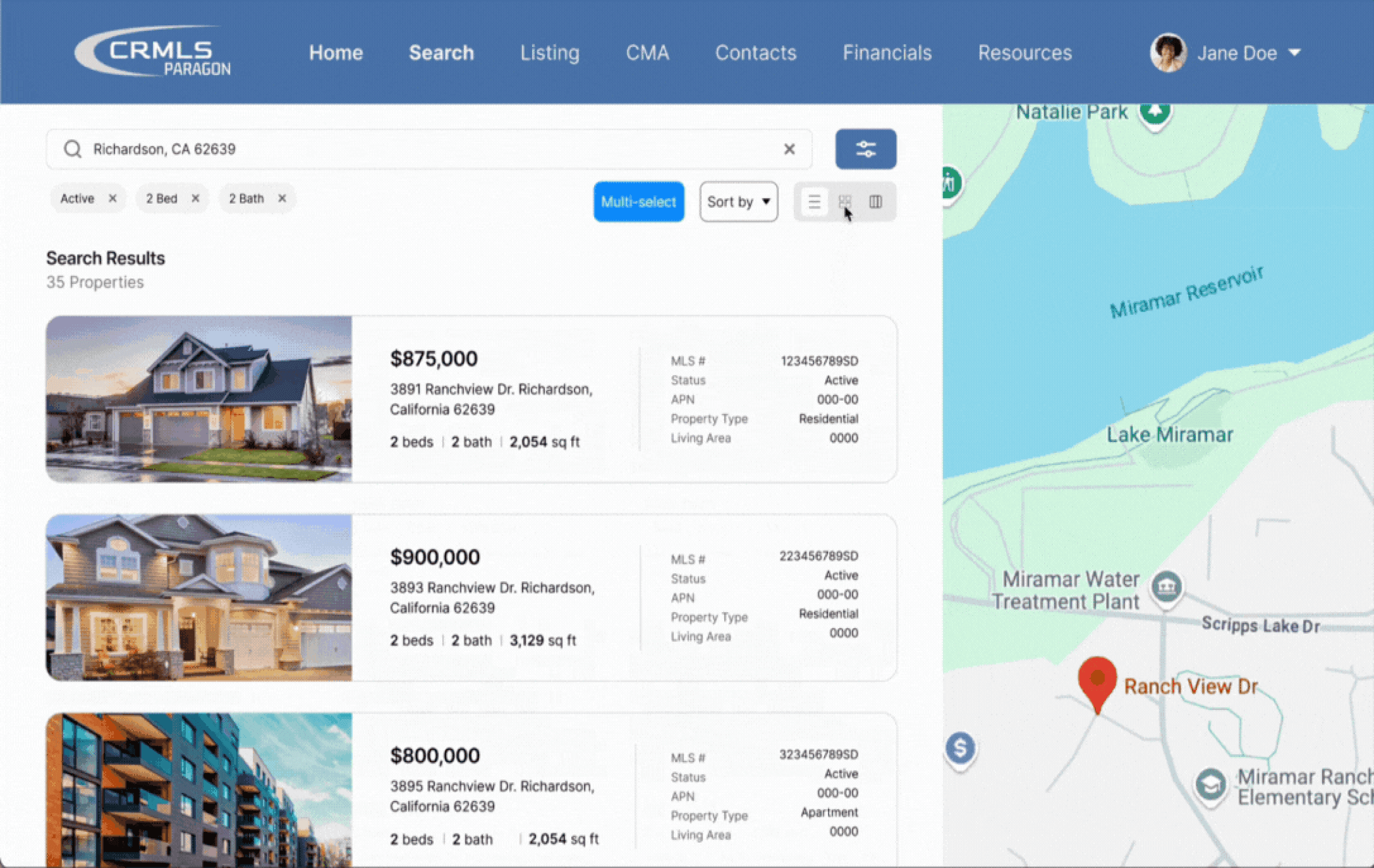
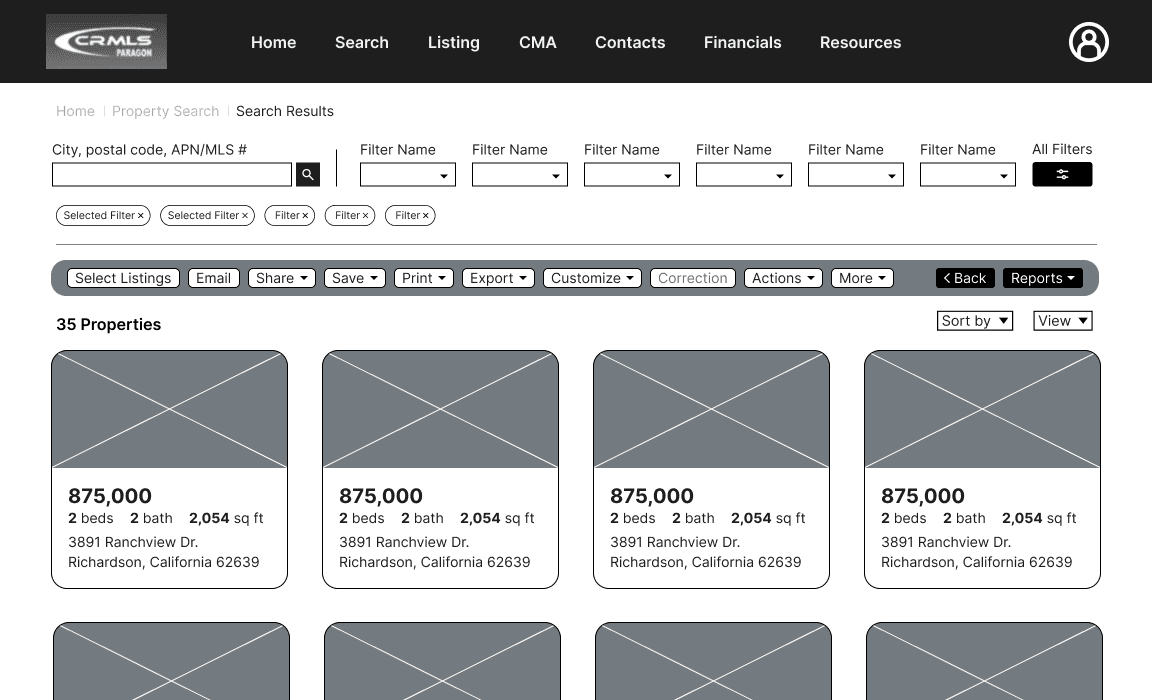
Property Listings Page

Problem

The current property search process is time-consuming and prevents agents from building their client base and providing adequate attention to existing customers.

The current property search process is time-consuming and prevents agents from building their client base and providing adequate attention to existing customers.

Real estate agents need a way to quickly identify and compare relevant properties for their clients.

Real estate agents need a way to quickly identify and compare relevant properties for their clients.

Our Solution

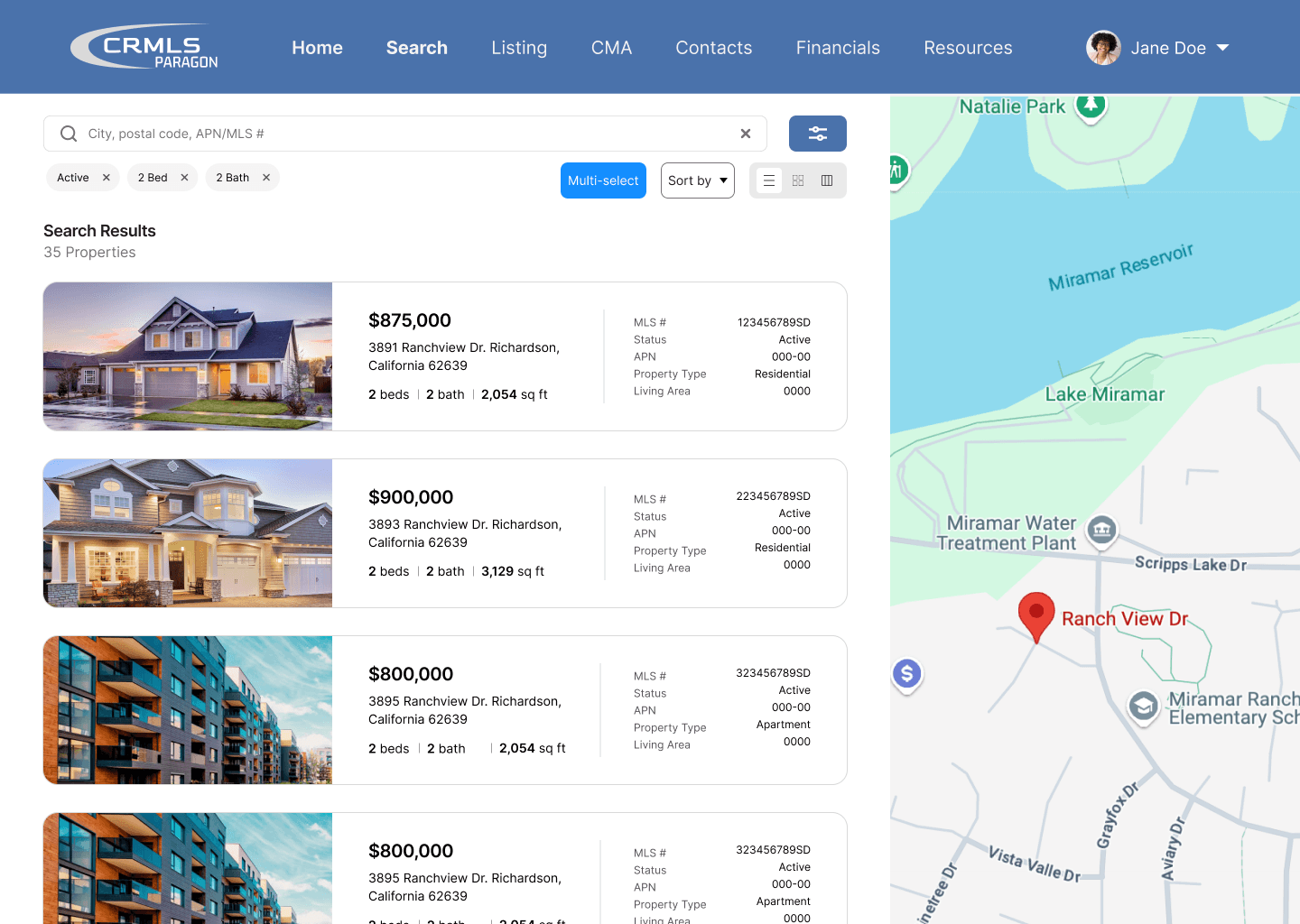
A revamped experience that focuses on visual hierarchy and readability to increase efficiency. Our goal was to ensure that agents do not have to spend more time than necessary when searching for properties.

A revamped experience that focuses on visual hierarchy and readability to increase efficiency. Our goal was to ensure that agents do not have to spend more time than necessary when searching for properties.

Key Features

Homepage

Convenient Searching

Convenient Searching

Discovering that the most sought out feature of the platform was the property search, we implemented a search bar onto the homepage. This change provides a quicker and more evident entry point.
Filters

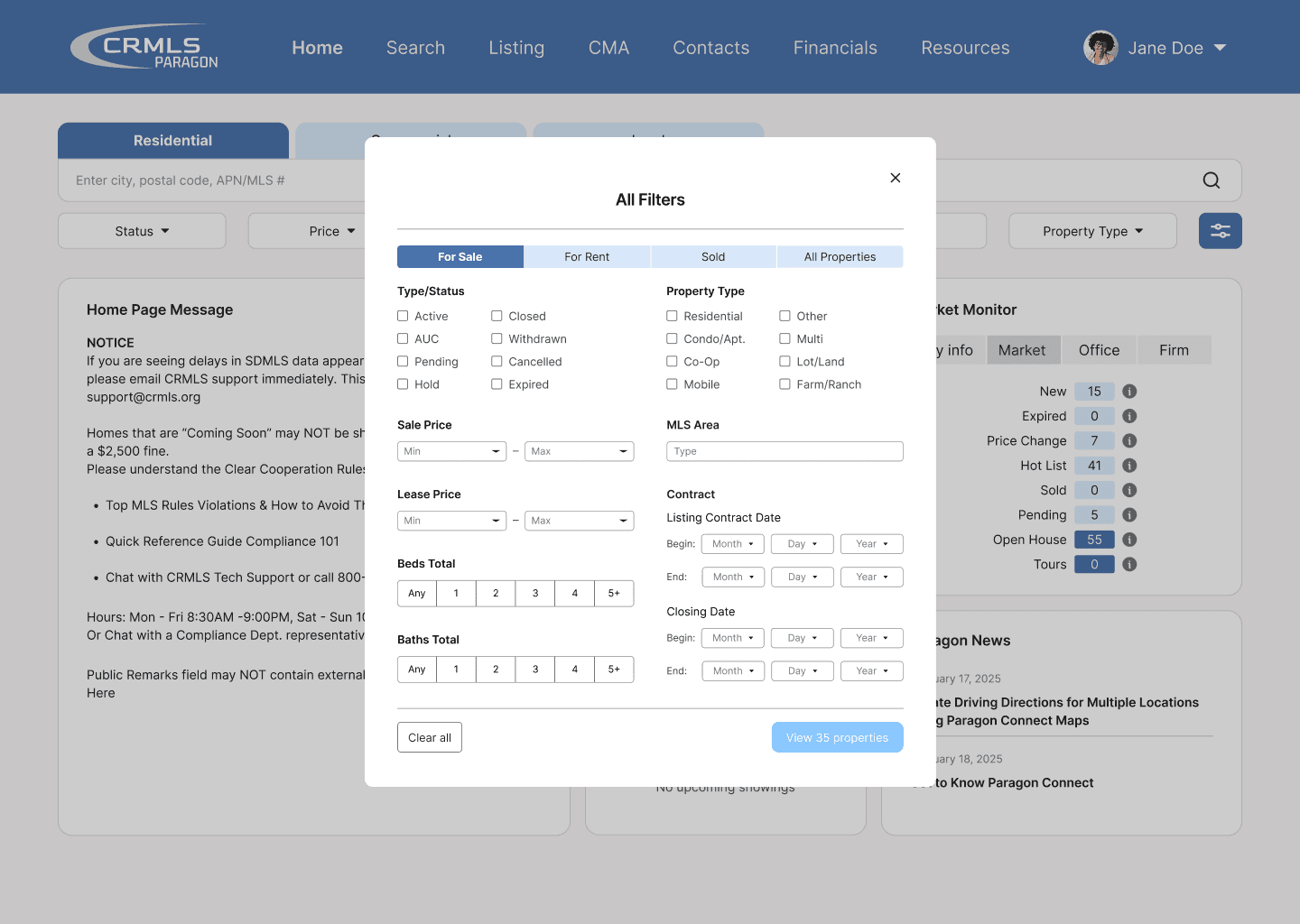
“Easier on the eyes”

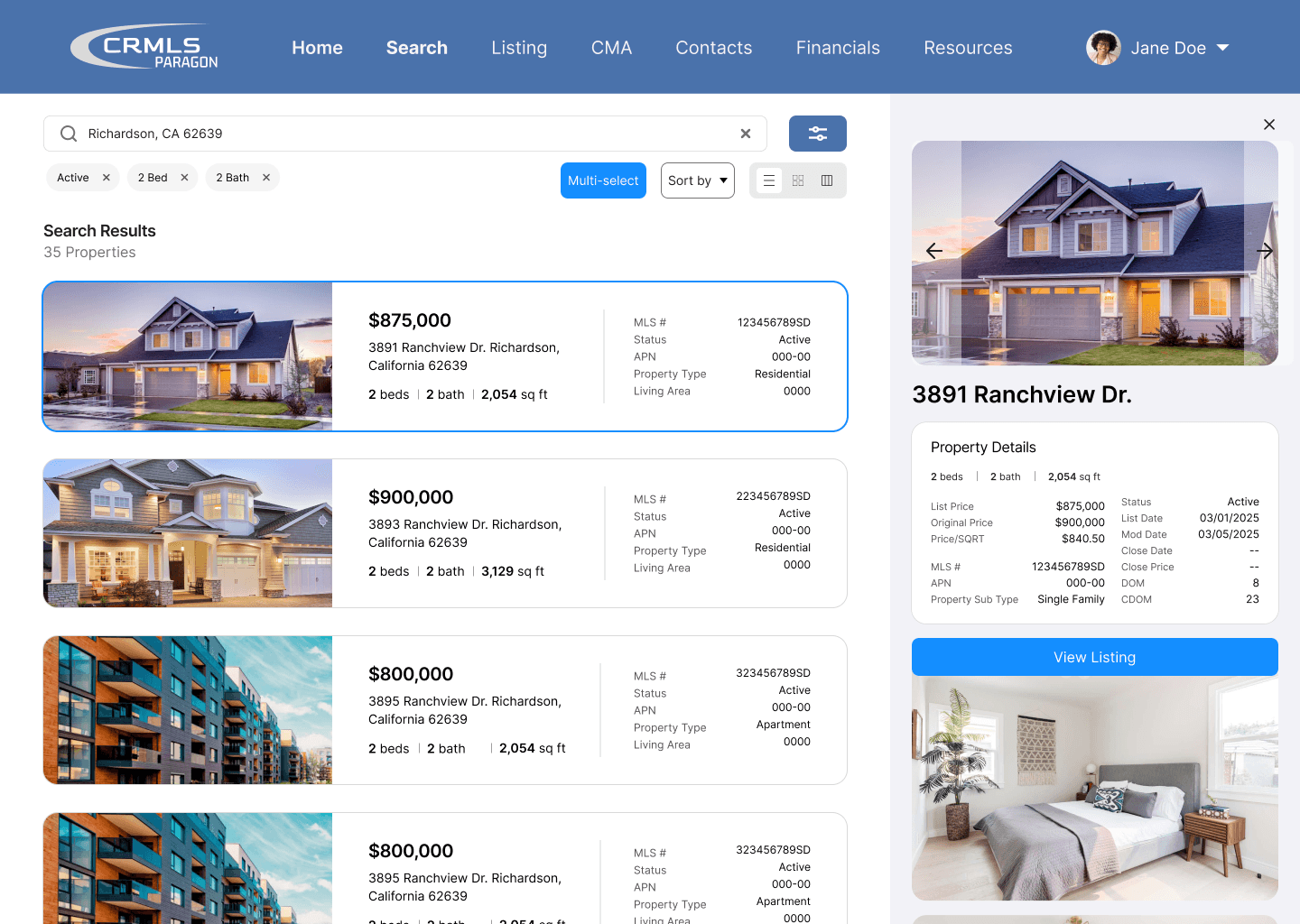
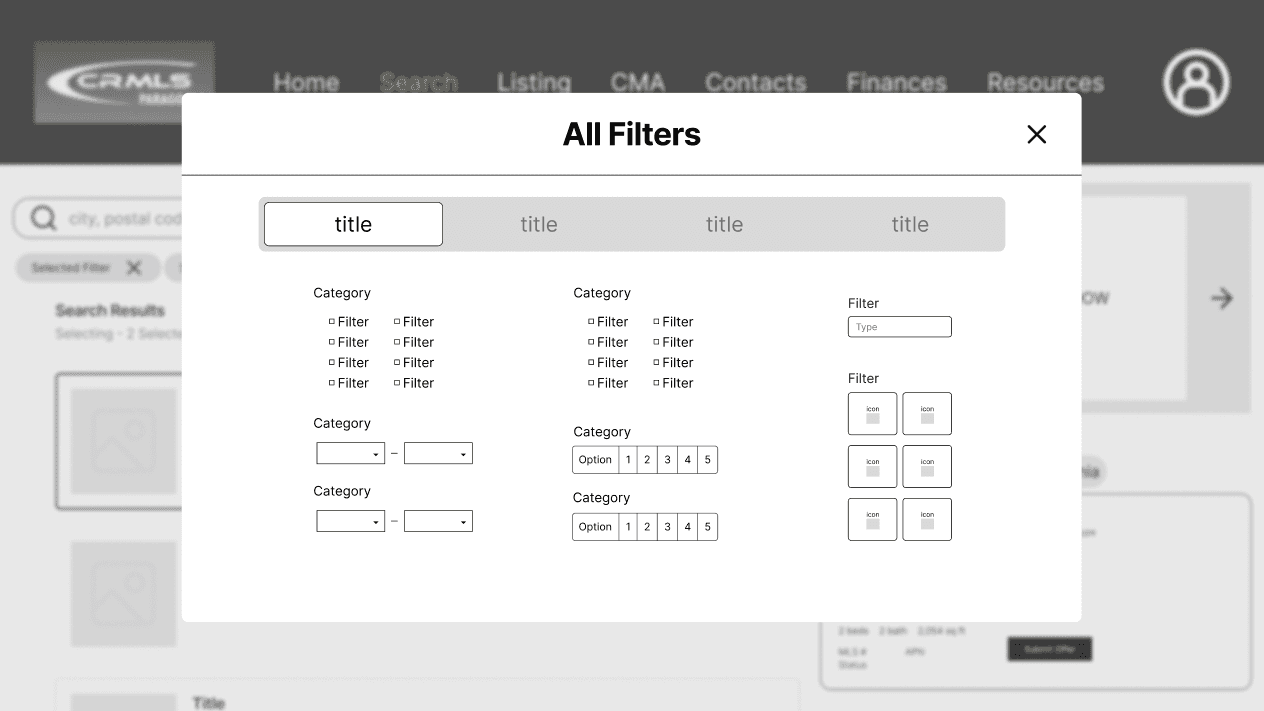
Previously, users struggled to find specific criteria due to poor organization on the filters page. To address this, we grouped filters into relevant categories and presented them in a popup window format, which users found easier to navigate and understand.

Listings

A Flexible Viewing Experience

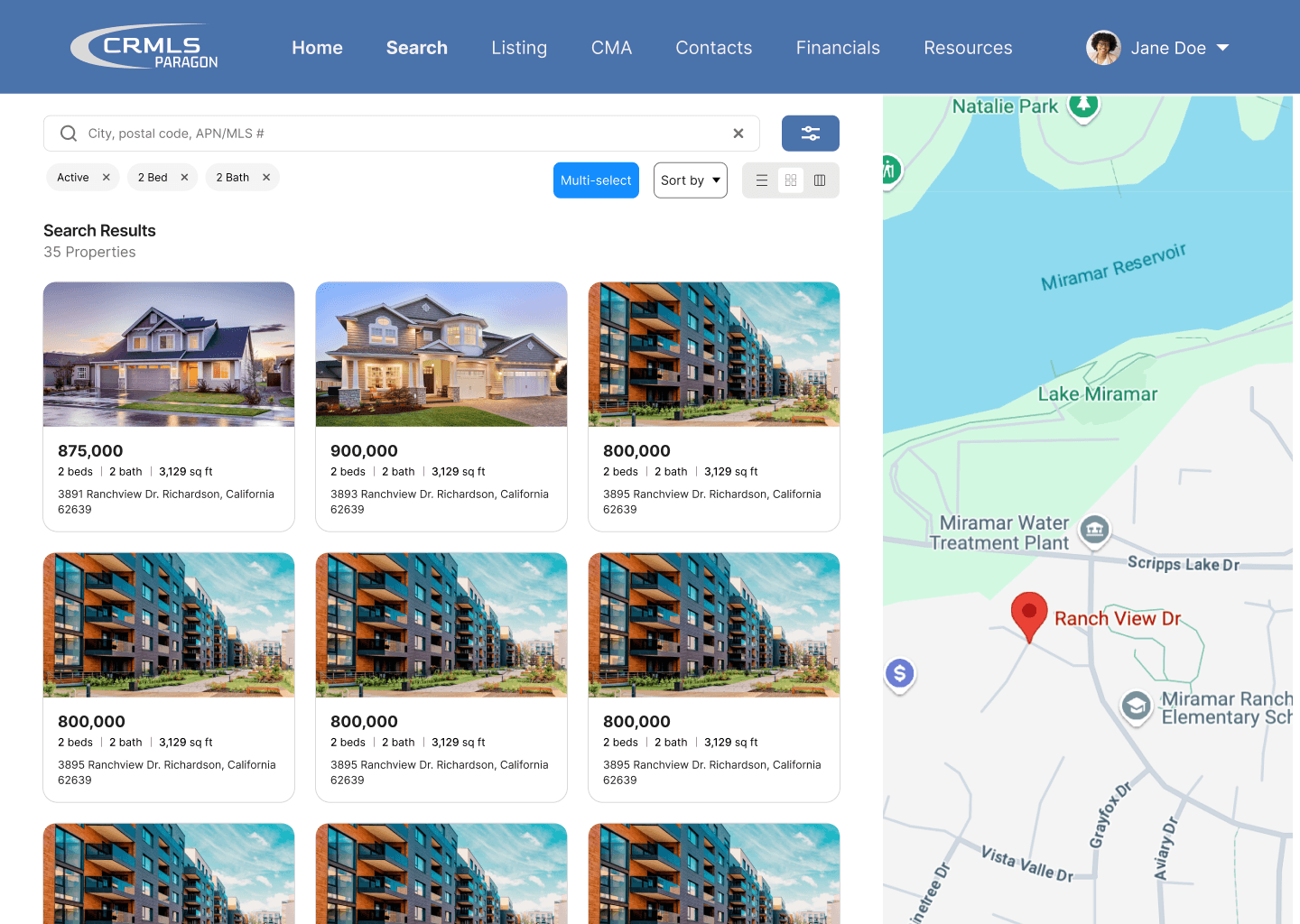
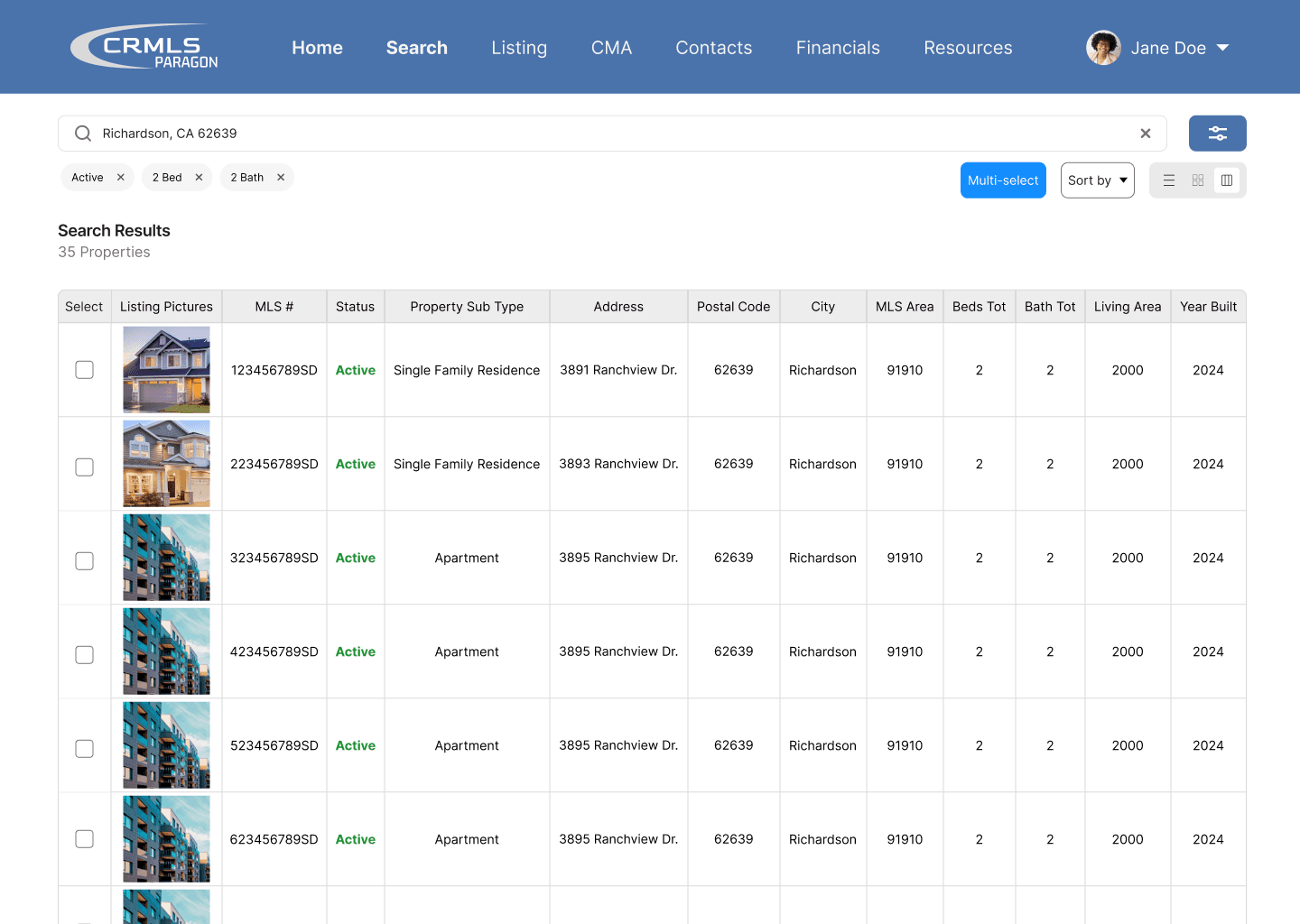
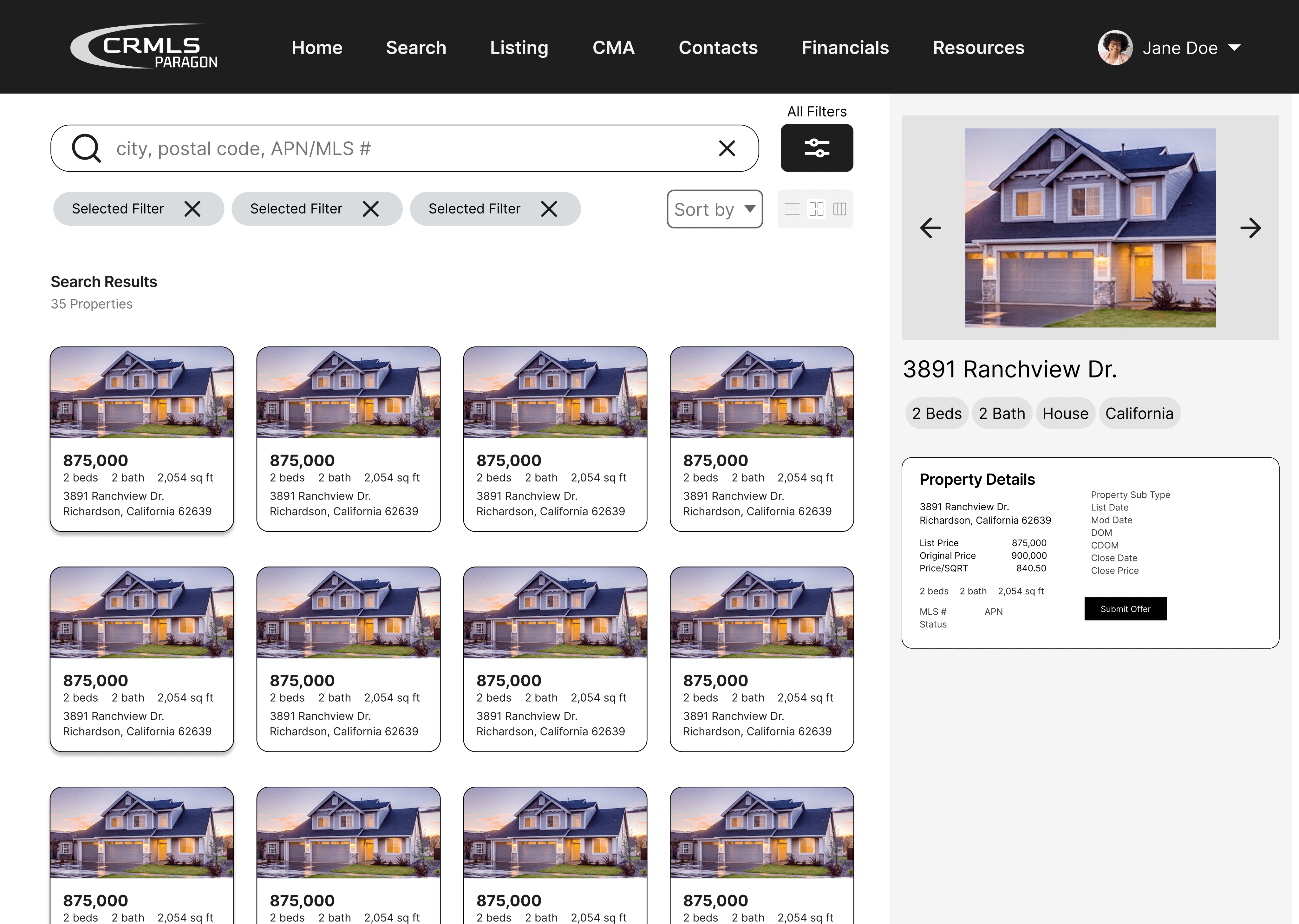
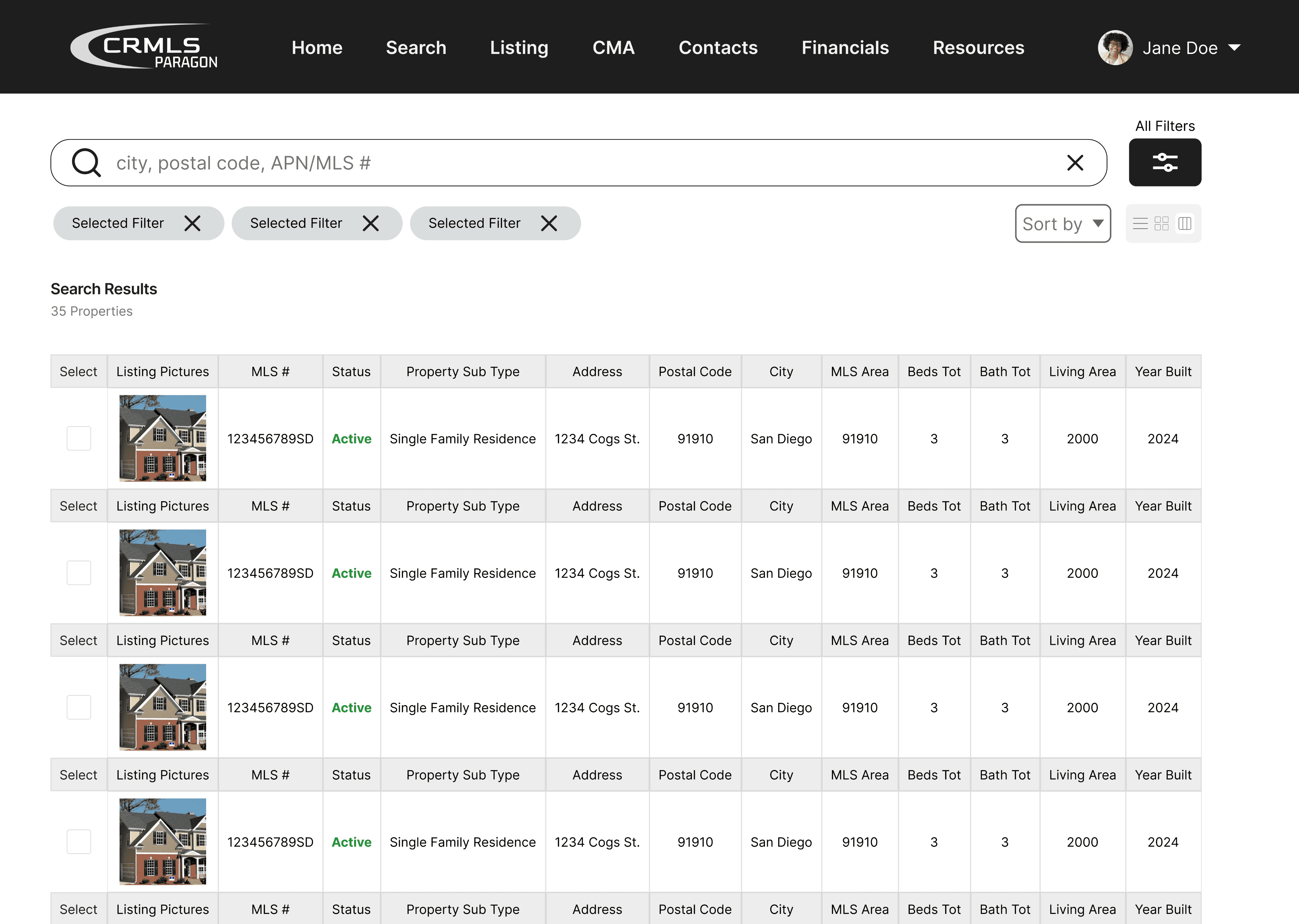
Now, agents have the choice to change the way they view property listings: list, card, and column layout. We believe that this offers flexibility for users to have a sense of control, returning a more optimal experience of navigating the site.


*scroll to see more features

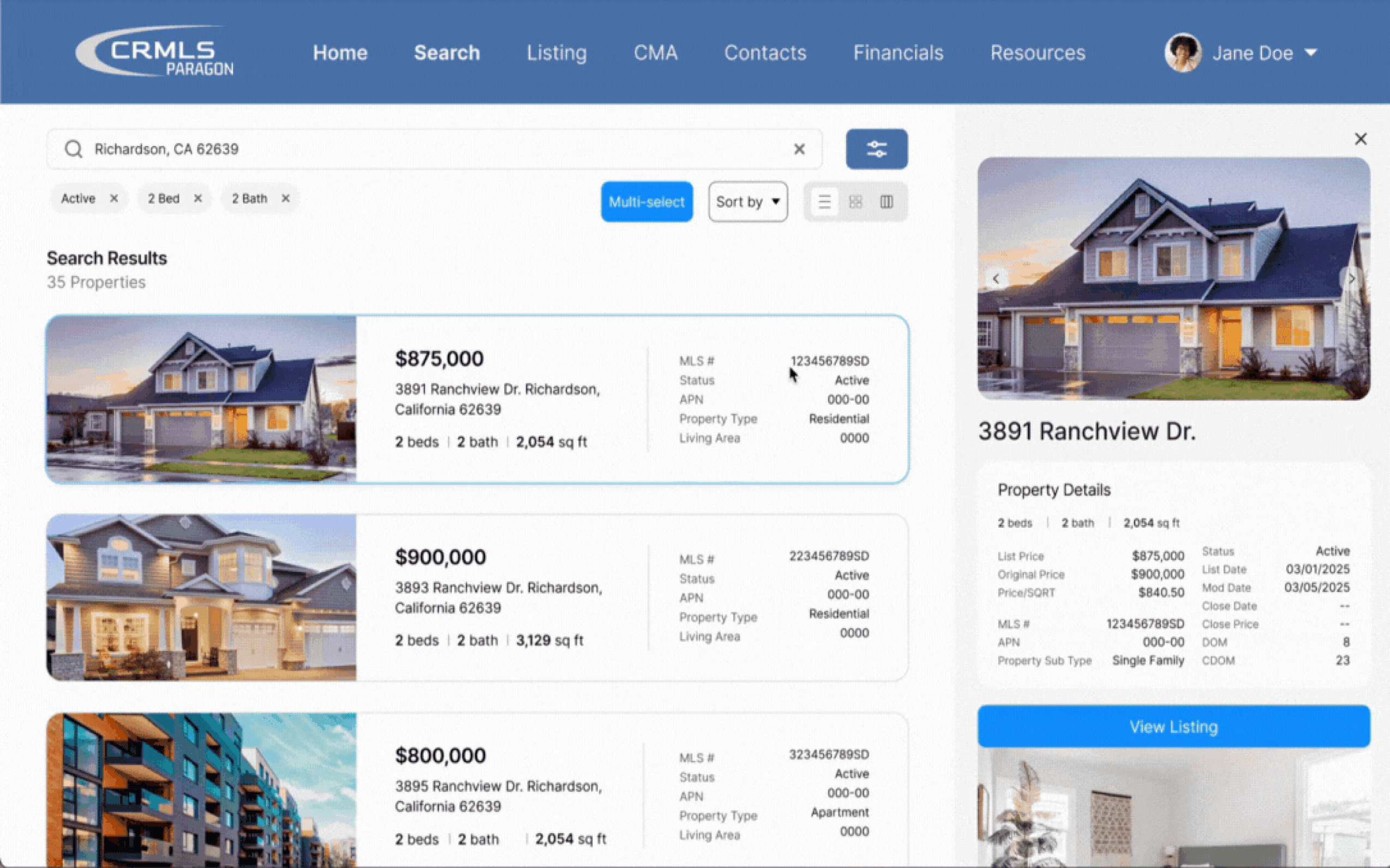
Listings

Preview

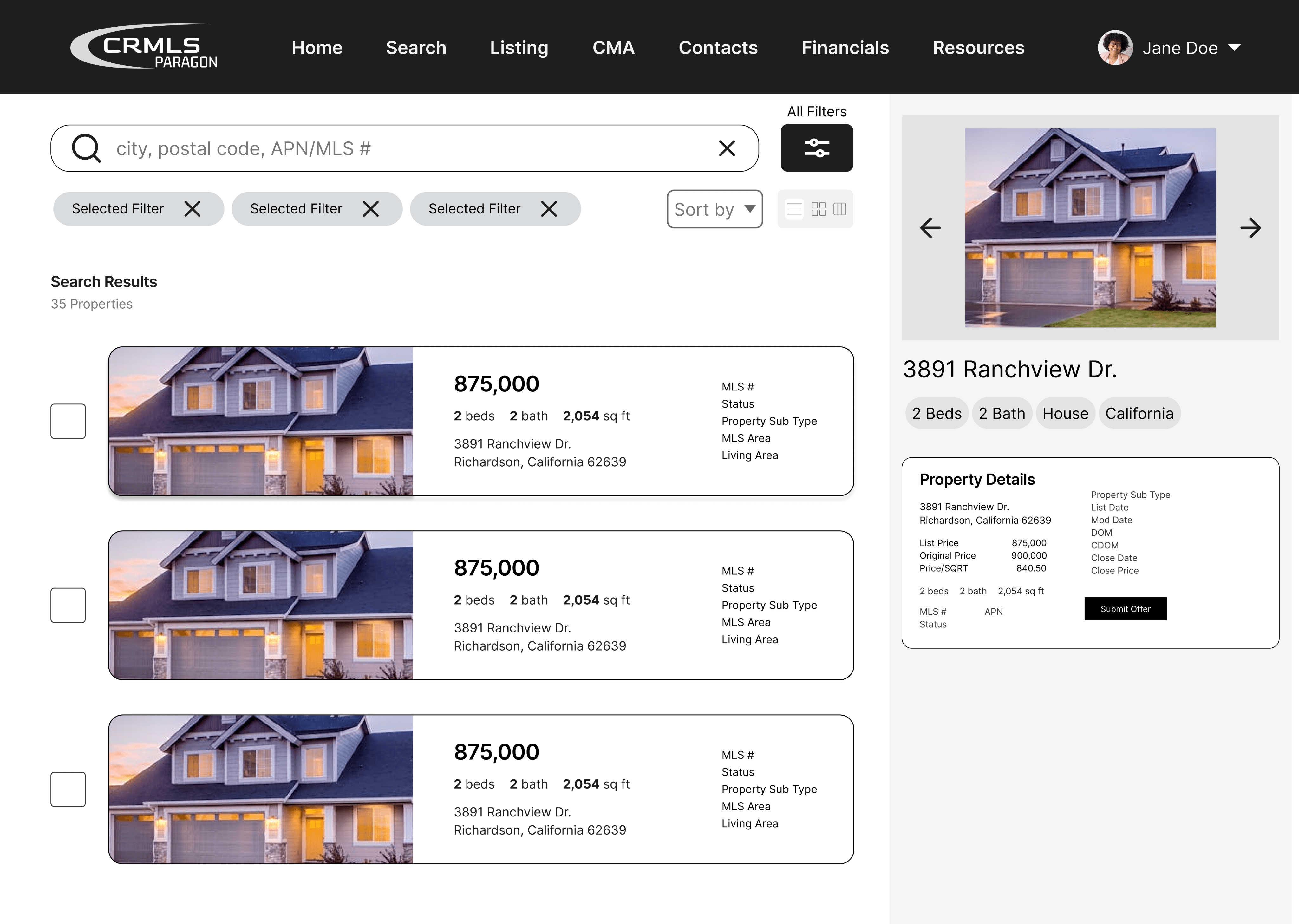
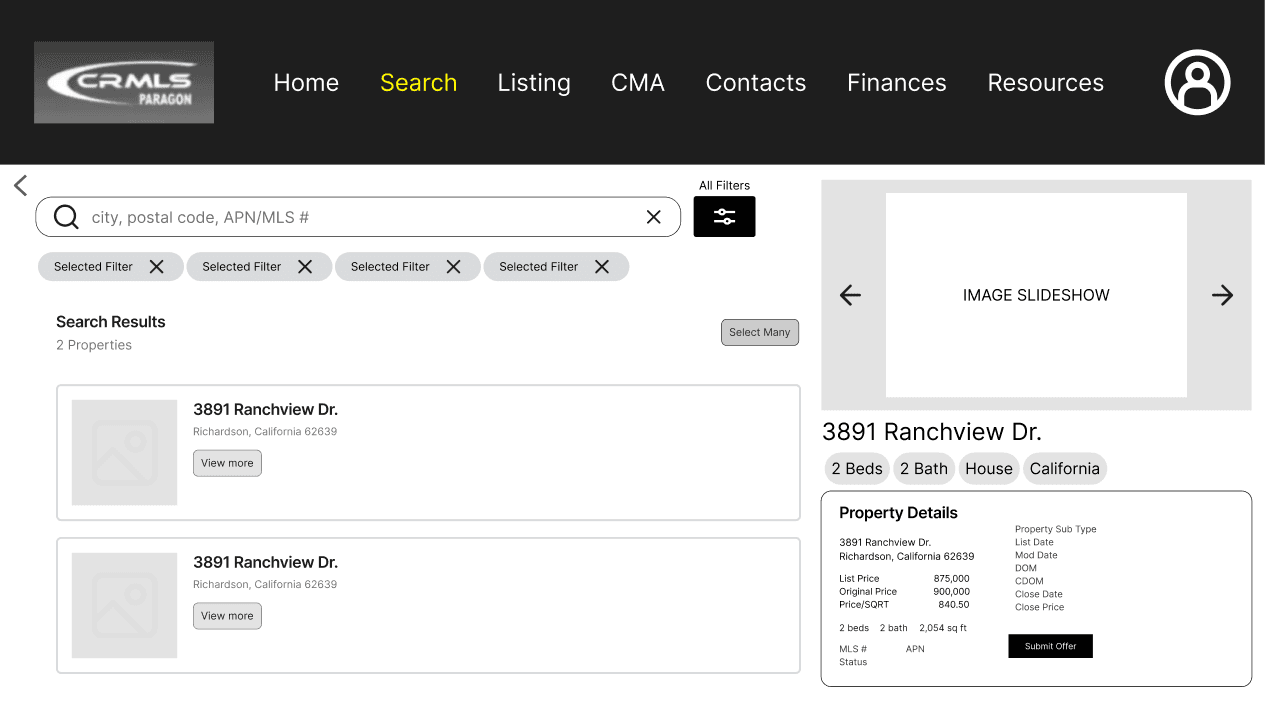
Previously, users were not able to preview listings and were required to navigate to each listing page in order to review photos in a larger view. This feature enables agents to click on a listing they are interested in and quickly browse through the home’s images.

Listings

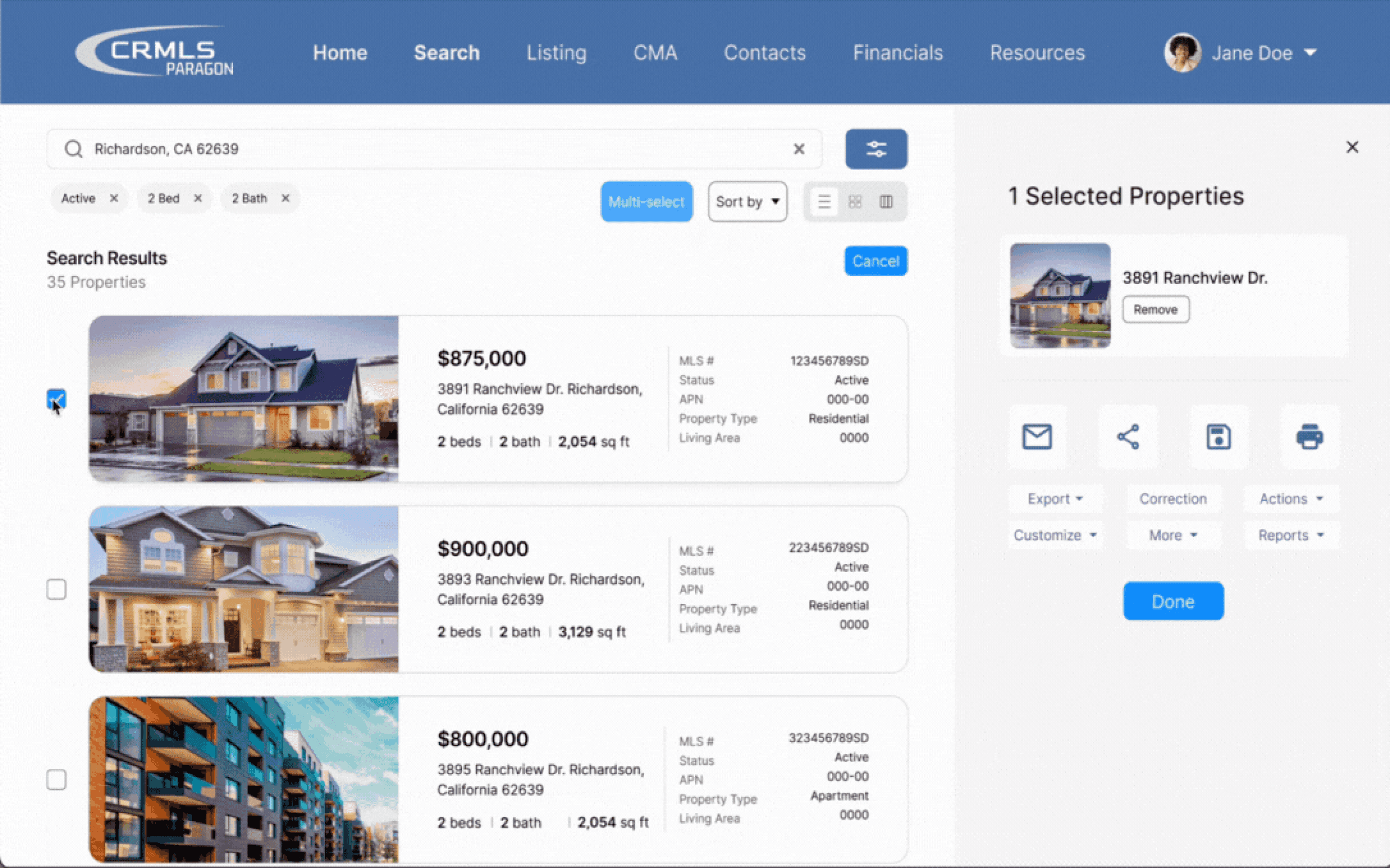
Multi-Select

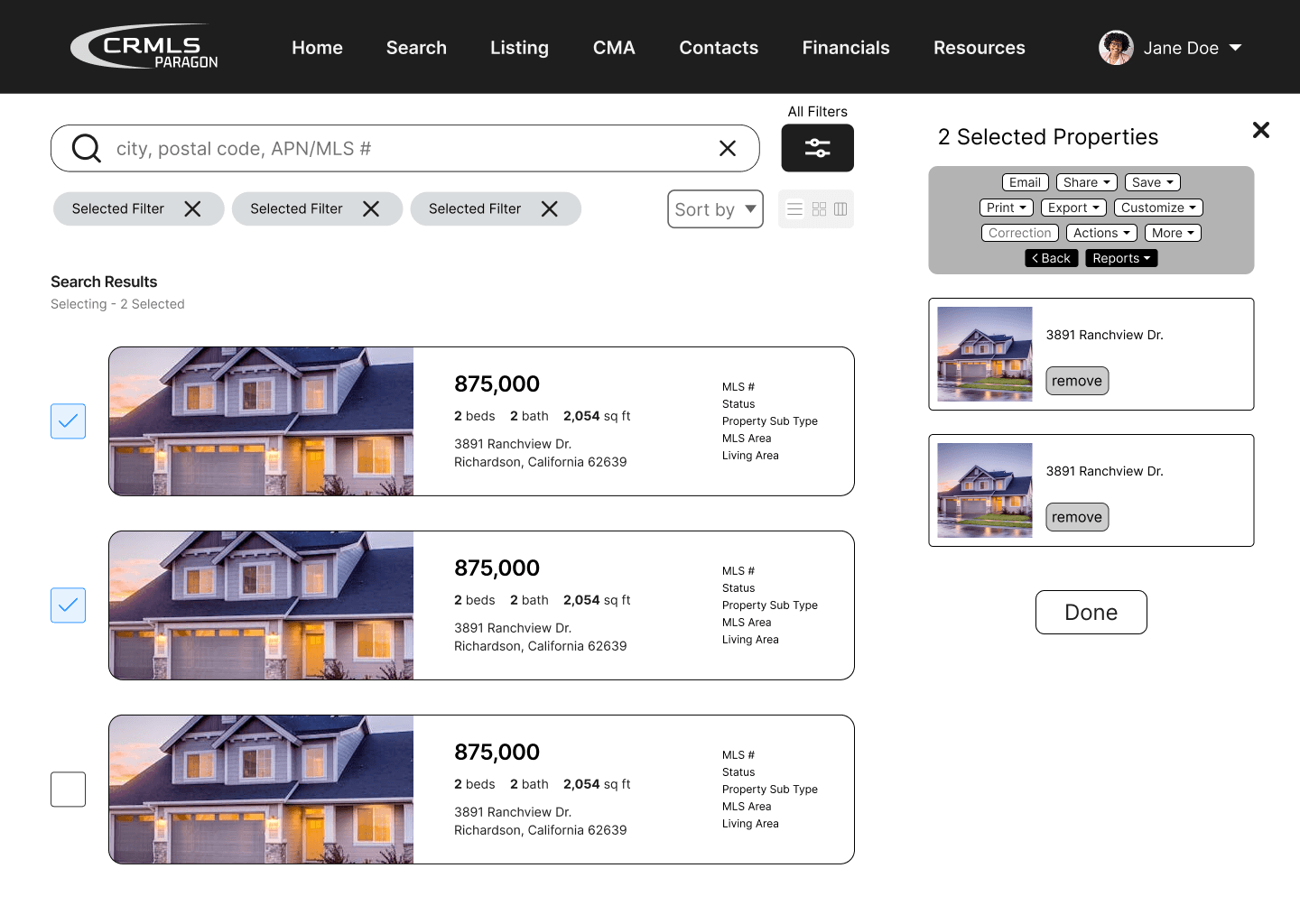
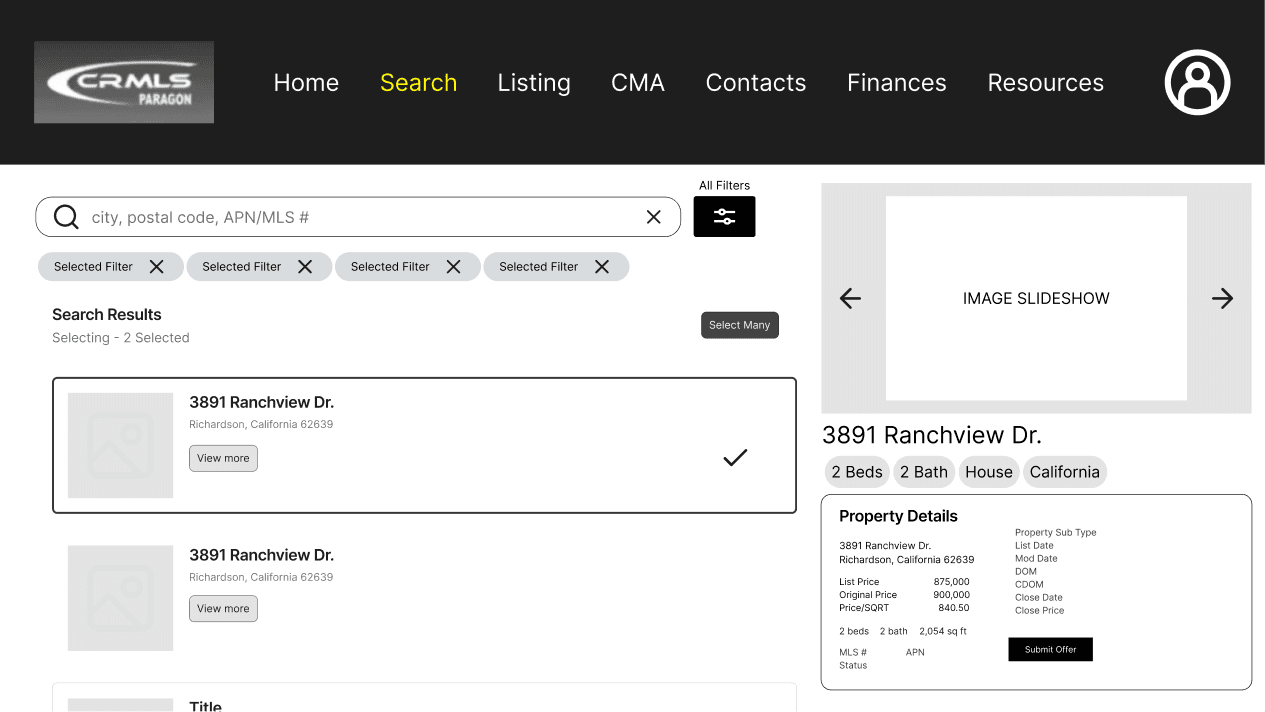
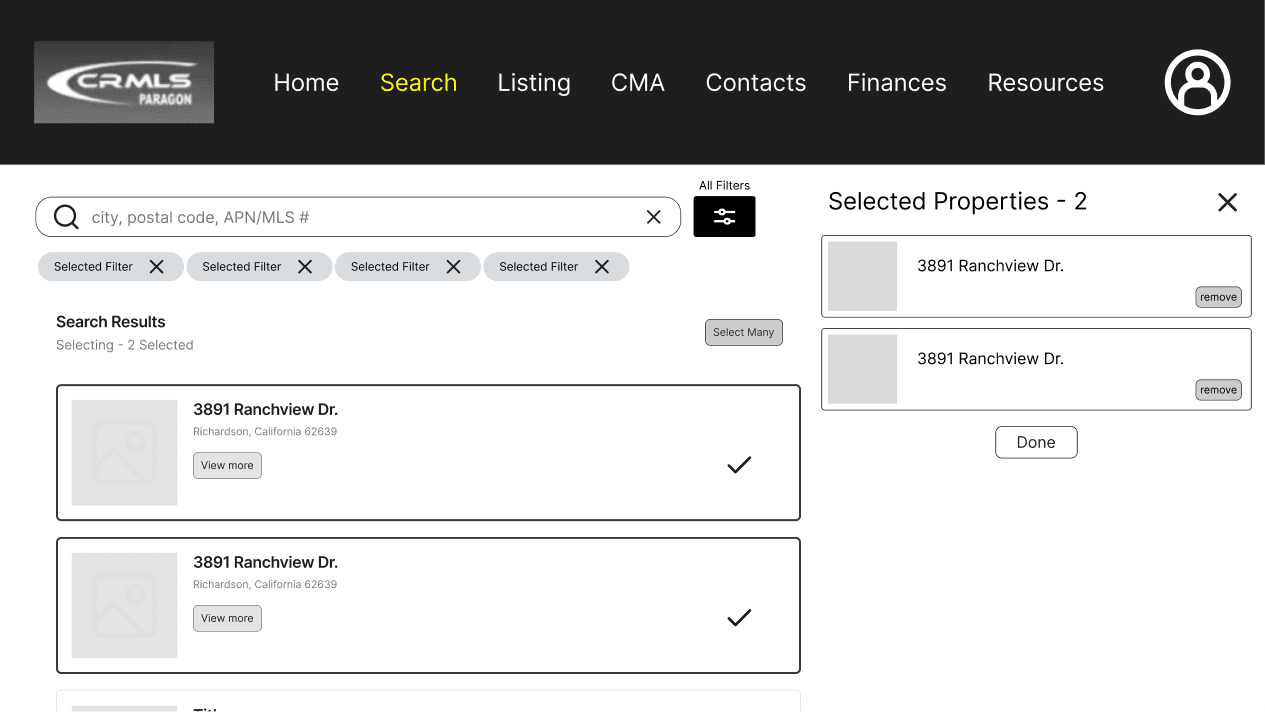
The multi-select button gives access to additional actions that were available in the original system, however, it is only displayed when it is necessary. Presented as a side menu overlay, this feature provides separation between all results and the user’s selected listings. This way, a sense of user confidence is adapted as they know that the actions will only apply to the listings on the right of the screen.

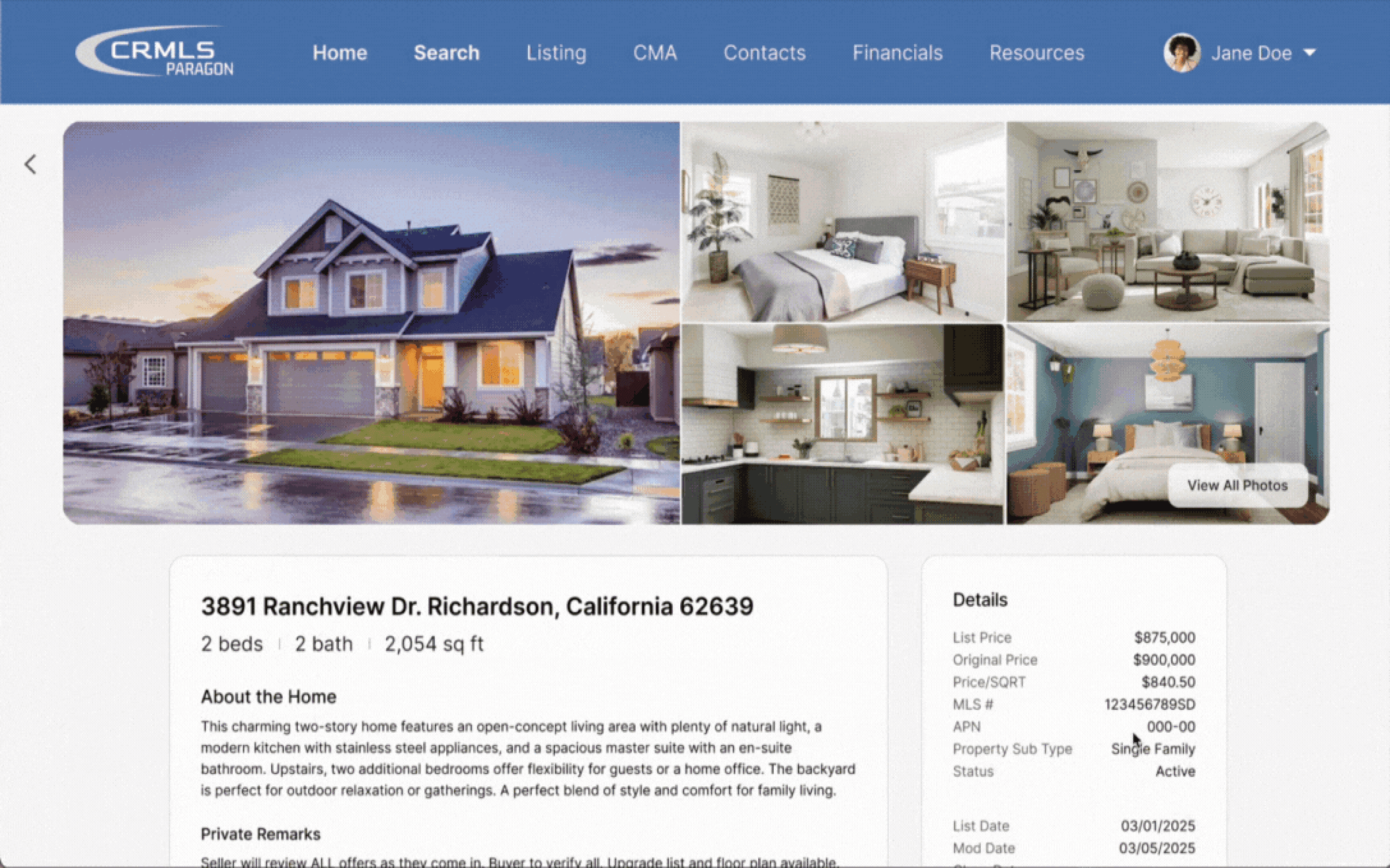
Property Details

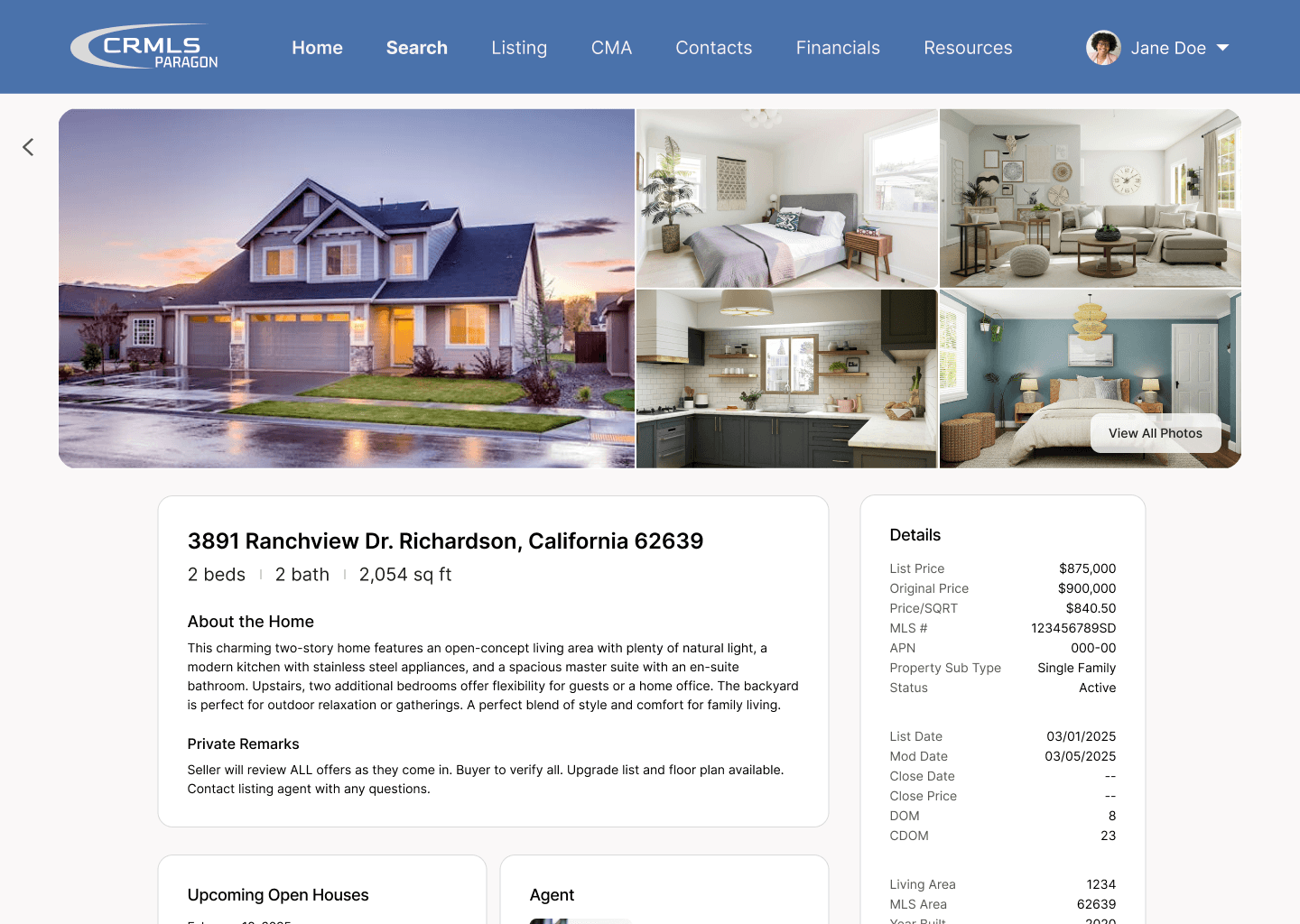
Organization is key

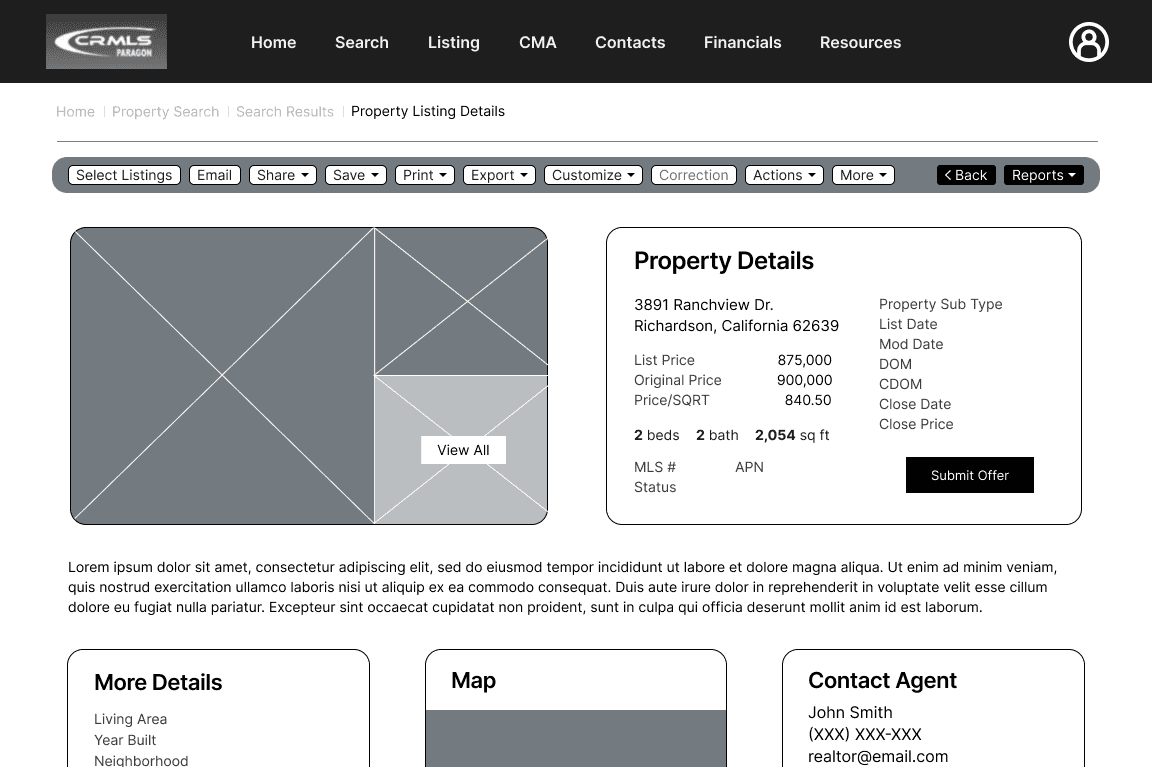
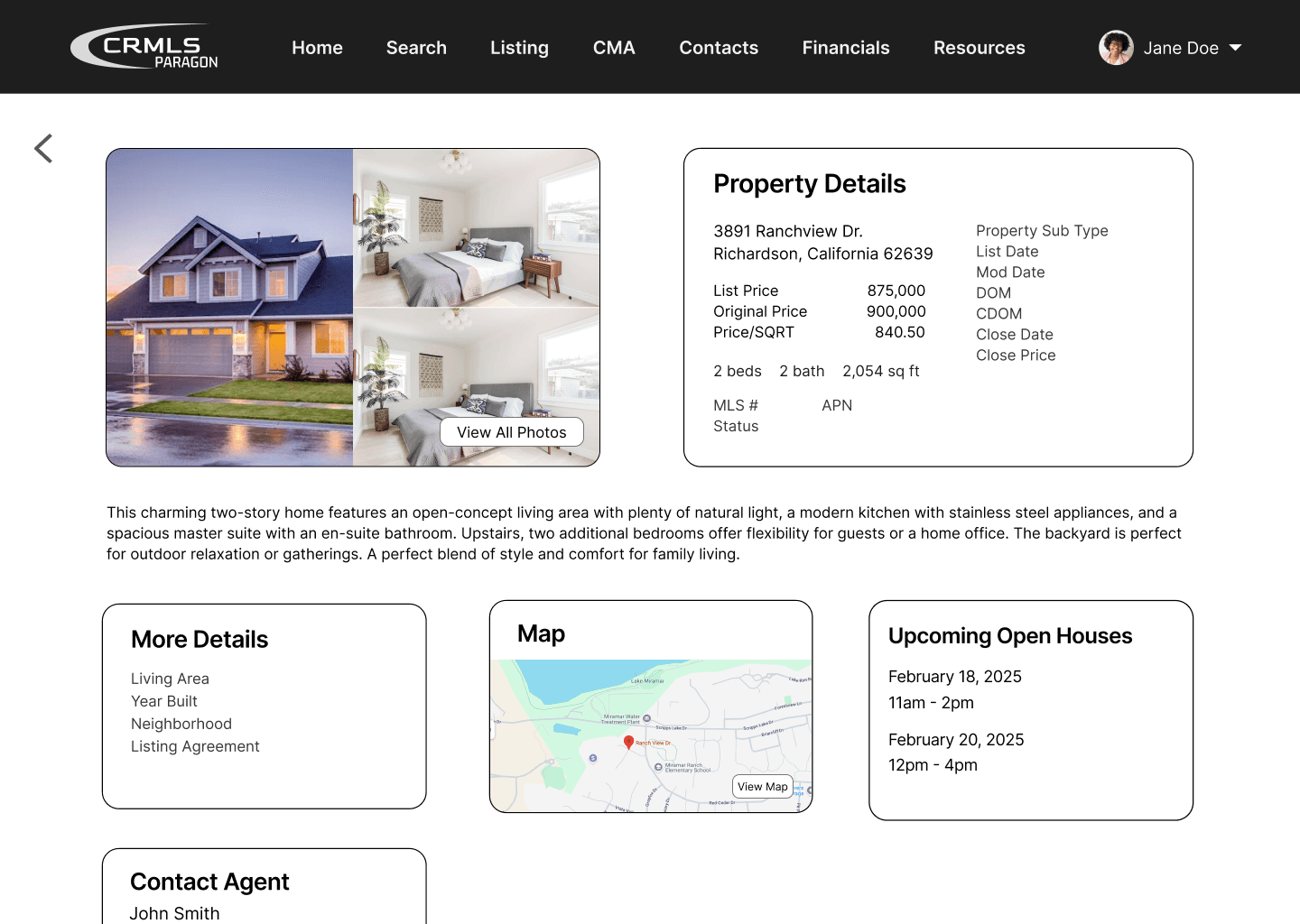
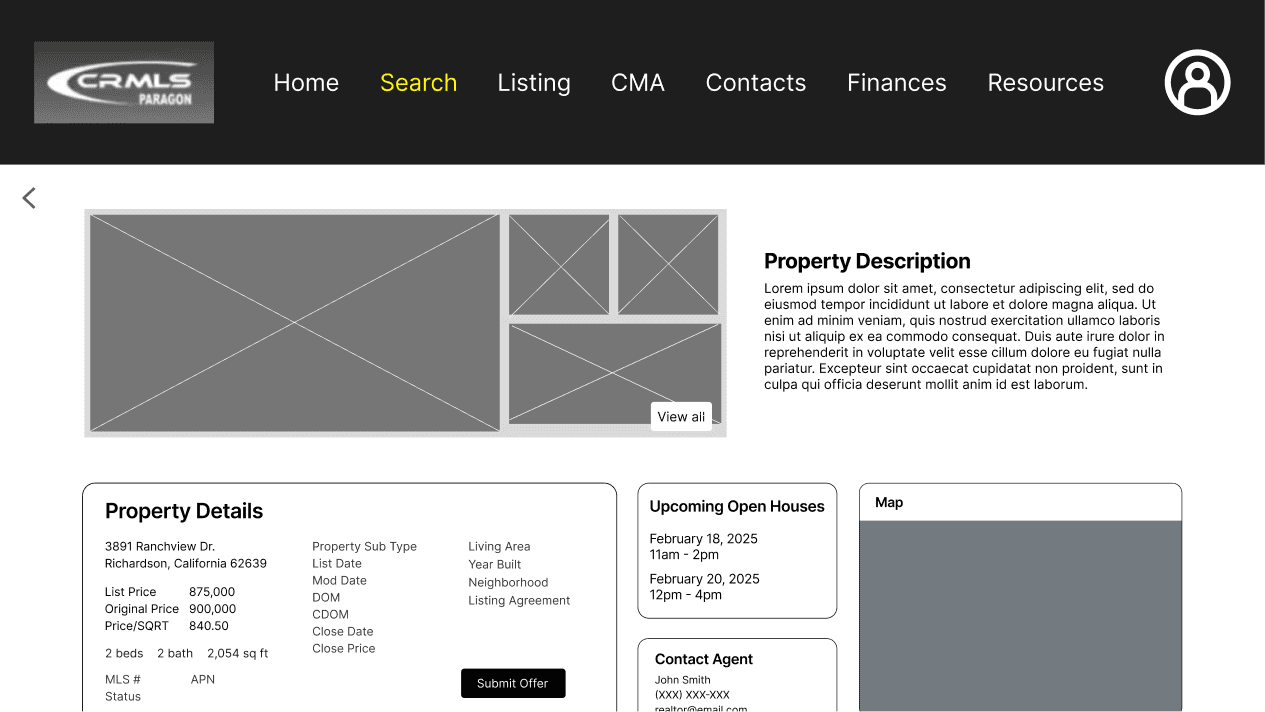
We reconfigured the property details page to promote easy scanning. Since agents often need to quickly evaluate properties, we prioritized visual hierarchy. This design choice helps users absorb key information, without feeling overwhelmed, ultimately improving the speed of their interactions.

Filters

“Easier on the eyes”

Previously, users struggled to find specific criteria due to poor organization on the filters page. To address this, we grouped filters into relevant categories and presented them in a popup window format, which users found easier to navigate and understand.

Listings

A Flexible Viewing Experience

Now, agents have the choice to change the way they view property listings: list, card, and column layout. We believe that this offers flexibility for users to have a sense of control, returning a more optimal experience of navigating the site.

*scroll to see more features

Preview

Previously, users were not able to preview listings and were required to navigate to each listing page in order to review photos in a larger view. This feature enables agents to click on a listing they are interested in and quickly browse through the home’s images.

Multi-Select

The multi-select button gives access to additional actions that were available in the original system, however, it is only displayed when it is necessary. Presented as a side menu overlay, this feature provides separation between all results and the user’s selected listings. This way, a sense of user confidence is adapted as they know that the actions will only apply to the listings on the right of the screen.

Property Details

Organization is key

We reconfigured the property details page to promote easy scanning. Since agents often need to quickly evaluate properties, we prioritized visual hierarchy. This design choice helps users absorb key information, without feeling overwhelmed, ultimately improving the speed of their interactions.

Listings

A Flexible Viewing Experience

Now, agents have the choice to change the way they view property listings: list, card, and column layout. We believe that this offers flexibility for users to have a sense of control, returning a more optimal experience of navigating the site.


*scroll to see more features

Listings

Preview

Previously, users were not able to preview listings and were required to navigate to each listing page in order to review photos in a larger view. This feature enables agents to click on a listing they are interested in and quickly browse through the home’s images.

Listings

Multi-Select

The multi-select button gives access to additional actions that were available in the original system, however, it is only displayed when it is necessary. Presented as a side menu overlay, this feature provides separation between all results and the user’s selected listings. This way, a sense of user confidence is adapted as they know that the actions will only apply to the listings on the right of the screen.

The Process

Methods

Our interview questions were curated to...

  • learn about our client’s daily tasks and the tools they use

    (gain context on their work)

  • learn about our client’s daily tasks and the tools they use

    (gain context on their work)

  • identify challenges with those tools

    (pinpoint areas of friction)

  • identify challenges with those tools

    (pinpoint areas of friction)

  • understand their ideal solutions

    (reveal what matters most to them)

  • understand their ideal solutions

    (reveal what matters most to them)

Our goal with this framework was to encourage discussions that highlight our stakeholders’ frustrations, ensuring we focused on real, existing problems.

Our goal with this framework was to encourage discussions that highlight our stakeholders’ frustrations, ensuring we focused on real, existing problems.

Key Findings: User Pain Points

1

Even experienced agents struggle to navigate the program’s cluttered interface. 

The absence of clear visual hierarchy and logical information architecture contributes to this clutter, making it difficult for agents to find specific filters or perform tasks efficiently.

2

Key Information is difficult to read.

Text and image elements lack sufficient size, spacing, and contrast, making it difficult for agents to scan and comprehend quickly. As a result, they spend more time deciphering what they see than actually searching for what they need.

3

Throughout the application, users are often left feeling stuck.

When users select the “Checked” button in the top toolbar, unselected properties disappear from view. Although a button to return to all properties is available, its low visual prominence and proximity to other tools make it easy to overlook. This lack of discoverability causes users to feel stuck and not in control.

How might we improve the property search experience for real estate agents to easily and efficiently find homes for their clients?

How might we improve the property search experience for real estate agents to easily and efficiently find homes for their clients?

Ideation

We started with developing two distinct prototypes, varying in layouts and feature functionalities.

We started with developing two distinct prototypes, varying in layouts and feature functionalities.

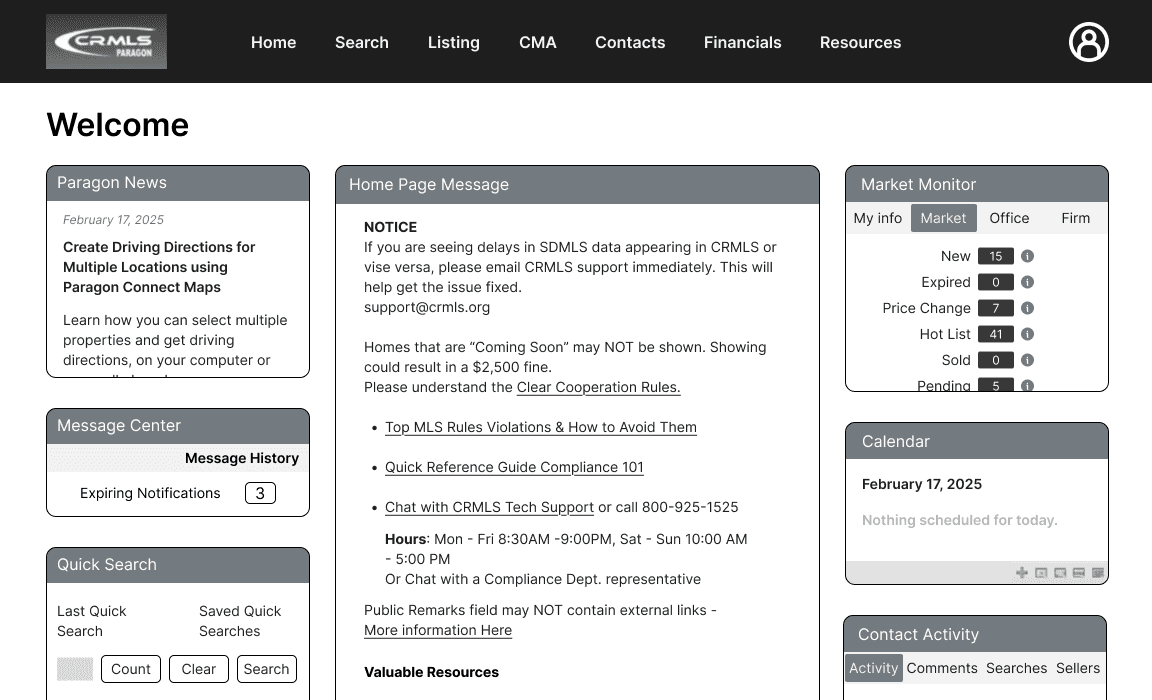
Prototype 1

Features:

Commonly used filters are placed at the top of the filters page

Text-based filters were replaced with preset options

The search bar stays visible for quick adjustments

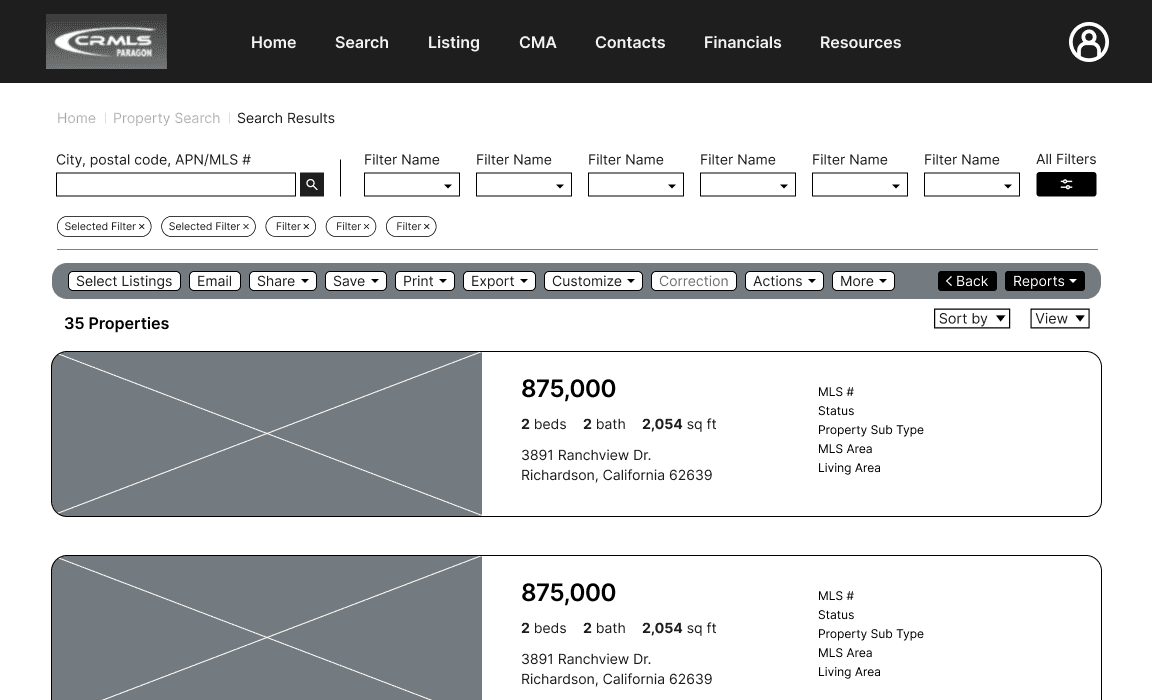
Multiple viewing options are available on listings page
Homepage

Filters

Listings

Preview Listing

Property Details

Homepage

Filters

Listings

Preview Listing

Property Details

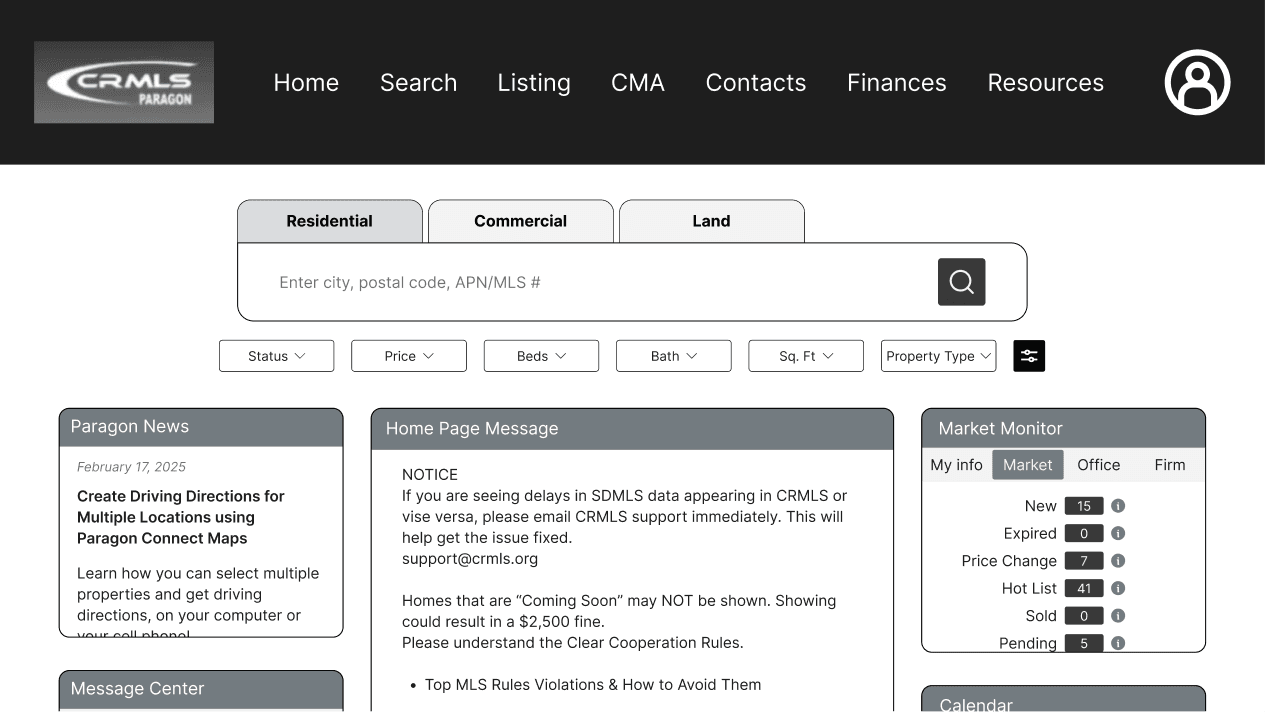
Prototype 2

Features:

Search bar is accessible on homepage

Popup filter screen

Split-screen layout to view results and details simultaneously

Reconfiguration of select feature

Homepage
Filters
Listings
Preview Listing
“Select Many”
Property Details
User Feedback 1

We reached out to our original stakeholder and an additional real estate agent to gather insight on whether our ideas effectively address the challenges they face.

We reached out to our original stakeholder and an additional real estate agent to gather insight on whether our ideas effectively address the challenges they face.

Prototype 1

  • multiple viewing options

  • card layout allows more listings to be visible

  • property details are easy to understand

  • filters are overwhelming

  • text is too small

Prototype 2

  • search bar is accessible on homepage

  • popup filters are digestible

  • “select many” button is not automatically understandable

  • text is too small

50/50 split preference between the two prototypes

Users suggested a column view and map feature

Mid-Fidelity Wireframes
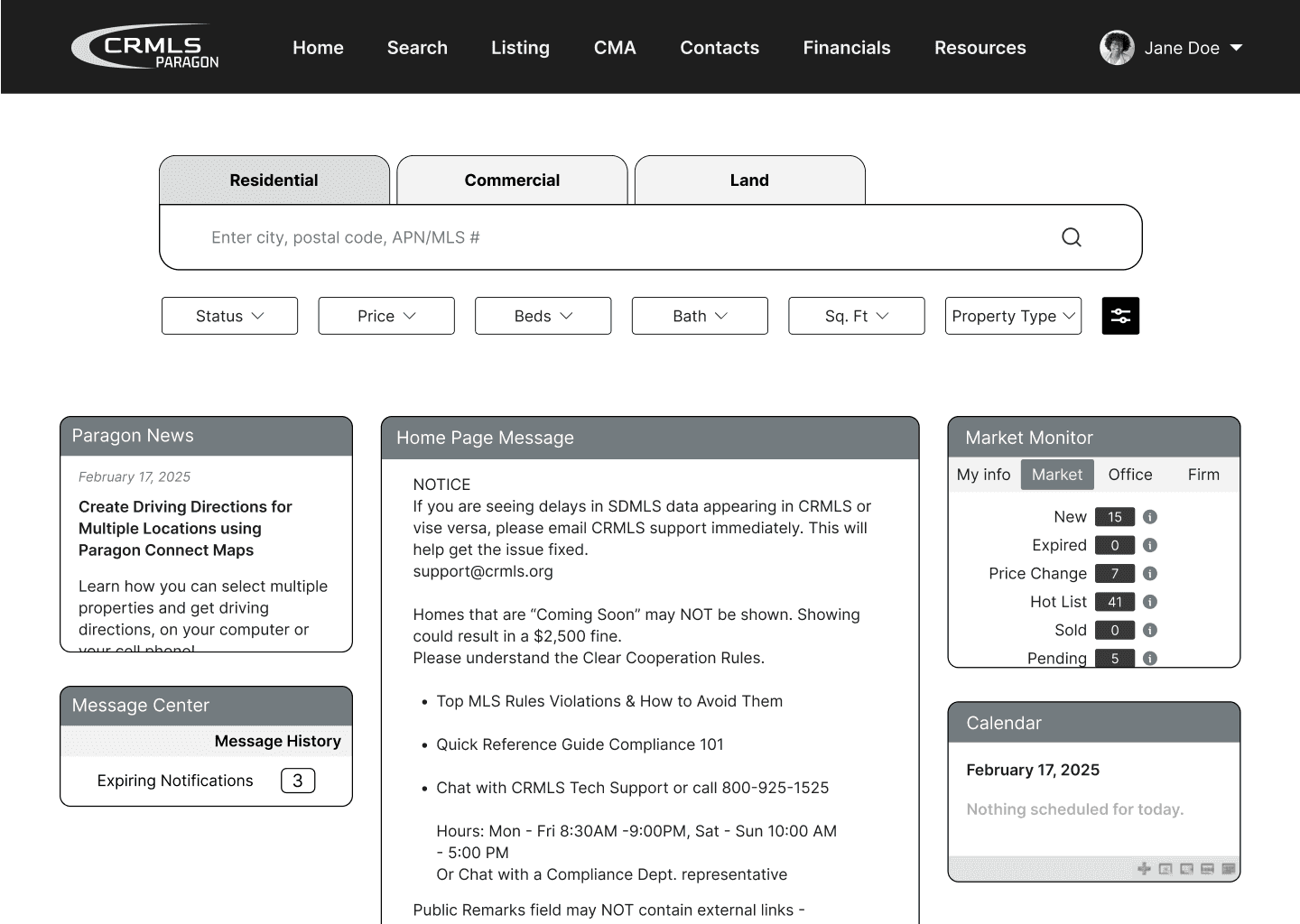
With these comments in mind, our mid-fidelity prototype built upon Prototype 2, while bringing back preferred features from Prototype 1.

With these comments in mind, our mid-fidelity prototype built upon Prototype 2, while bringing back preferred features from Prototype 1.

  • relocated search bar to the homepage

  • displayed filters as a popup format

  • implemented the ability to switch between listing views and select multiple properties feature

  • simplified property details layout

  • relocated search bar to the homepage

  • displayed filters as a popup format

  • implemented the ability to switch between listing views and select multiple properties feature

  • simplified property details layout

User Feedback 2

After another round of feedback from stakeholders, TAs, and peers, exposed issues with spacing, contrast, and layout inconsistencies.


For our final iteration, we focused on refining the details and aimed to improve the clarity of the app's visual design.

After another round of feedback from stakeholders, TAs, and peers, exposed issues with spacing, contrast, and layout inconsistencies.


For our final iteration, we focused on refining the details and aimed to improve the clarity of the app's visual design.

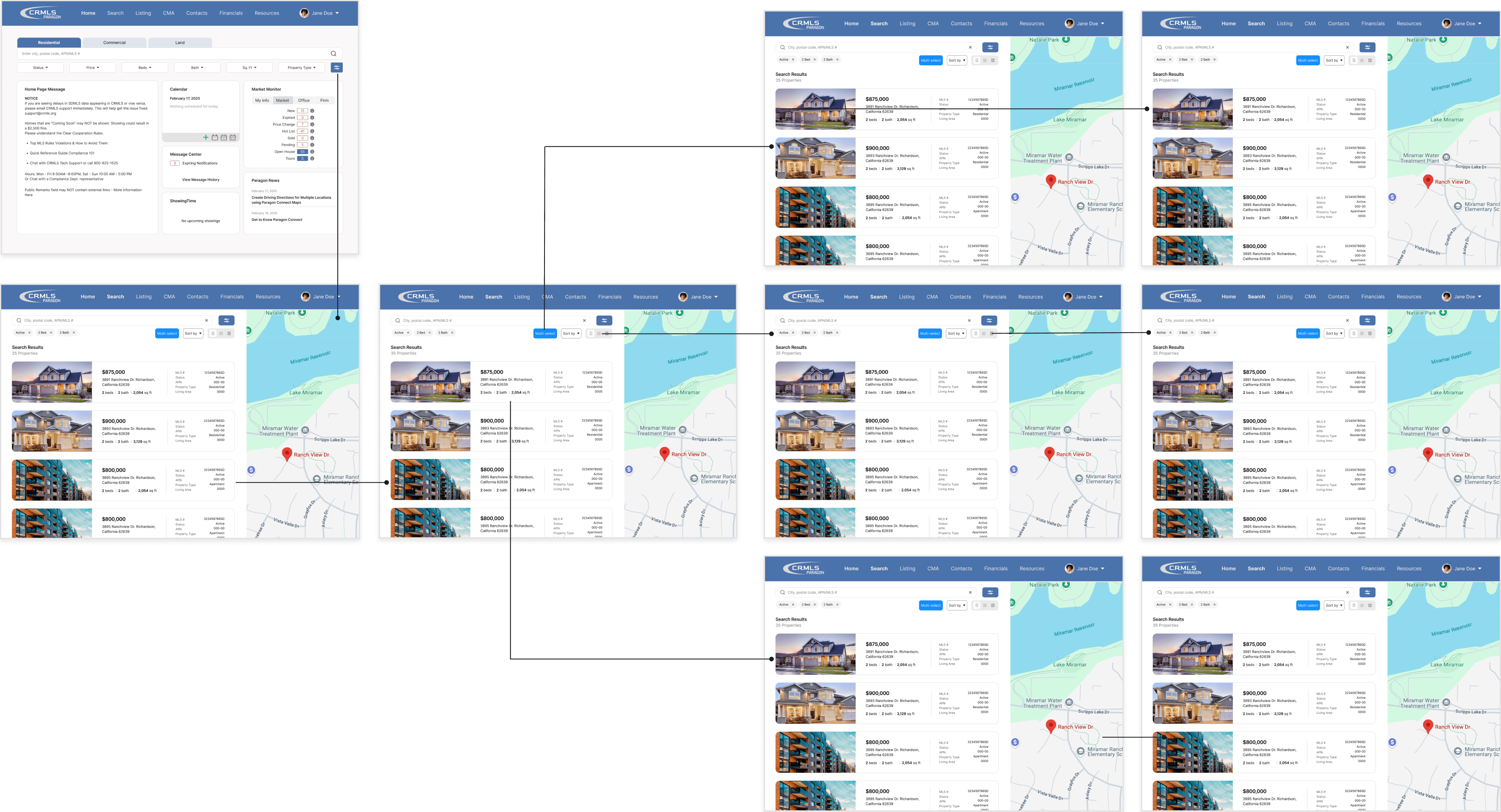
High-fidelity User Journey

Reflection

This experience taught me how to collaborate effectively and maintain consistent communication with a real-world client. The project was structured around weekly checkpoints, which helped my team and I learn to work within constraints and meet deadlines efficiently. With more time, I would have interviewed additional real estate professionals throughout the process to gather broader insights and further inform our design decisions.

This experience taught me how to collaborate effectively and maintain consistent communication with a real-world client. The project was structured around weekly checkpoints, which helped my team and I learn to work within constraints and meet deadlines efficiently. With more time, I would have interviewed additional real estate professionals throughout the process to gather broader insights and further inform our design decisions.

Krhyginne Tamoria

Product Designer

Krhyginne Tamoria

Product Designer

Krhyginne Tamoria

Product Designer