

UC San Diego Mobile App Redesign

UC San Diego Mobile Redesign

Revamping the all-in-one campus resource

Revamping the all-in-one campus resource

Timeline

2 weeks

Role

UI Designer

Timeline

2 weeks

Role

UI Designer

9:41

9:41

Problem

Problem

Students struggle to quickly access key information relevant to their academic experience.

Students struggle to quickly access key information relevant to their academic experience.

Students struggle to quickly access key information relevant to their academic experience.

Currently, students waste time navigating the cluttered interface.

Currently, students waste time navigating the cluttered interface.

Currently, students waste time navigating the cluttered interface.

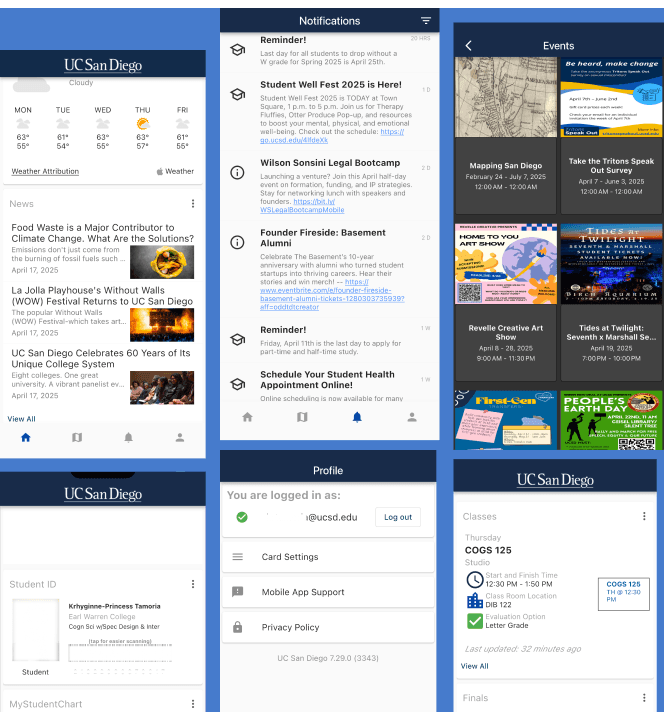
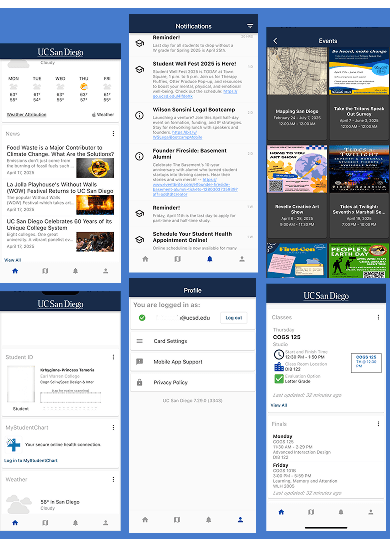
Current app screenshots >

Current app screenshots >

Current app screenshots

Pain Points

Pain Points

Endless Scrolling

Endless Scrolling

Endless Scrolling

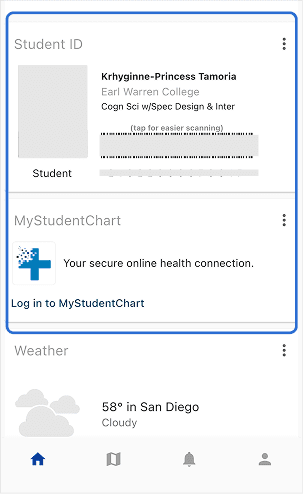
The homepage combines everything from campus events to class schedules, forcing users to scroll through dozens of sections to find what they need.

Poor Readability

Poor Readability

Poor Readability

With such small text and little contrast present, it can be difficult to quickly grasp details on each page.


With such small text and little contrast present, it can be difficult to quickly grasp details on each page.

It’s still loading..?

It’s still loading..?

It’s still loading..?

The surplus of information on the homepage causes elements like the Student ID, to take an extended amount of time loading.
User Persona

User Persona

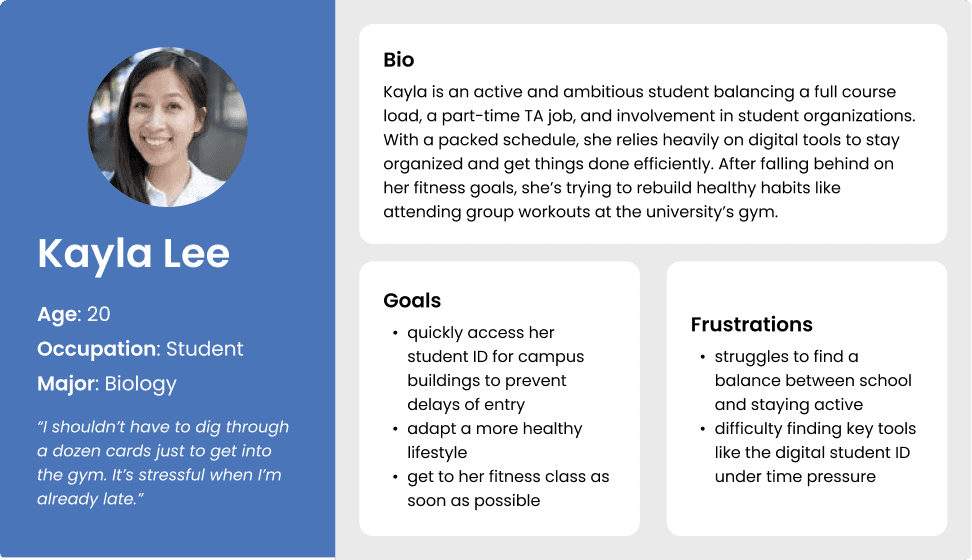
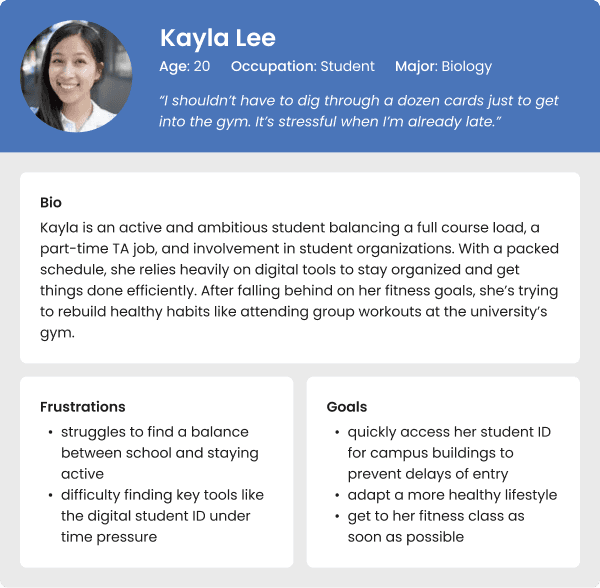
Applying these pain points to a user persona, I aligned my design decisions to address these issues. Meet Kayla

Applying these pain points to a user persona, I aligned my design decisions to address these issues. Meet Kayla

Applying these pain points to a user persona, I aligned my design decisions to address these issues. Meet Kayla

User Task

User Task

Kayla needs a way to enter the gym quickly and smoothly, so that she doesn’t hold up the line and she can make it to her class sooner.

Solution

Solution

Designing for Clarity: Streamlining the Student Experience

Designing for Clarity: Streamlining the Student Experience

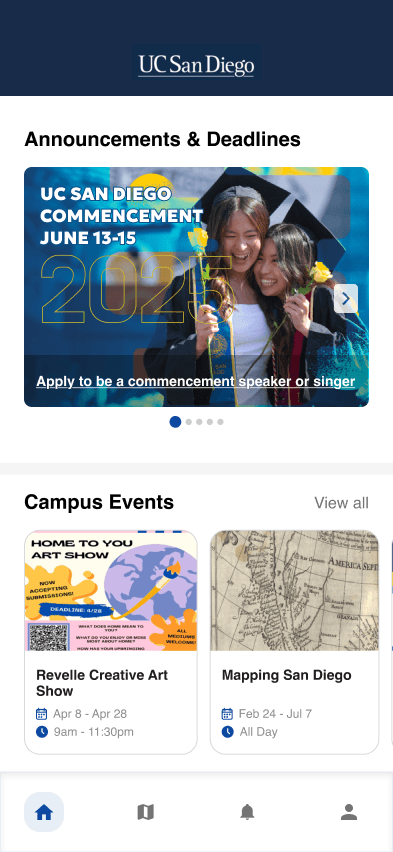
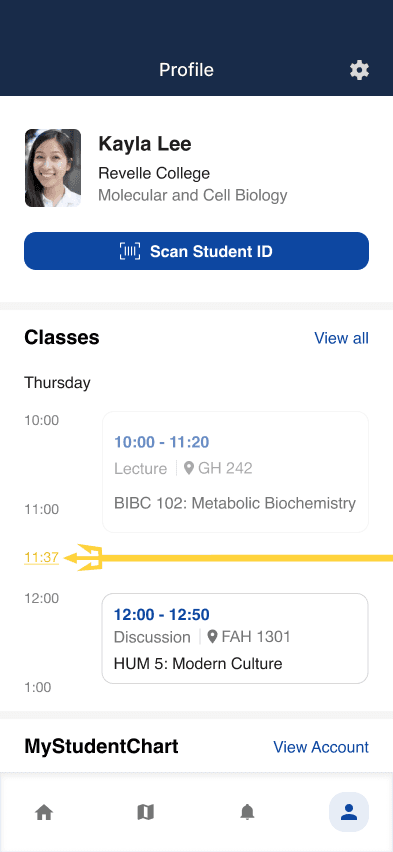
Repurposing the Profile page to serve as a personalized hub for each student leaves room for the institution’s resources to shine on its homepage. Now, features like the digital student ID, class schedules, finals, and MyStudentChart are grouped in one place.

→Kayla can easily navigate to her student ID or find school-related information in a more efficient manner.
Original
Redesign

Feature reorganization for improved ease of use

Feature reorganization for improved ease of use

  • Relocated settings to top right corner

  • Implemented more visual elements to make content more digestible

  • Moved student-related items to the Profile page

Original
Redesign

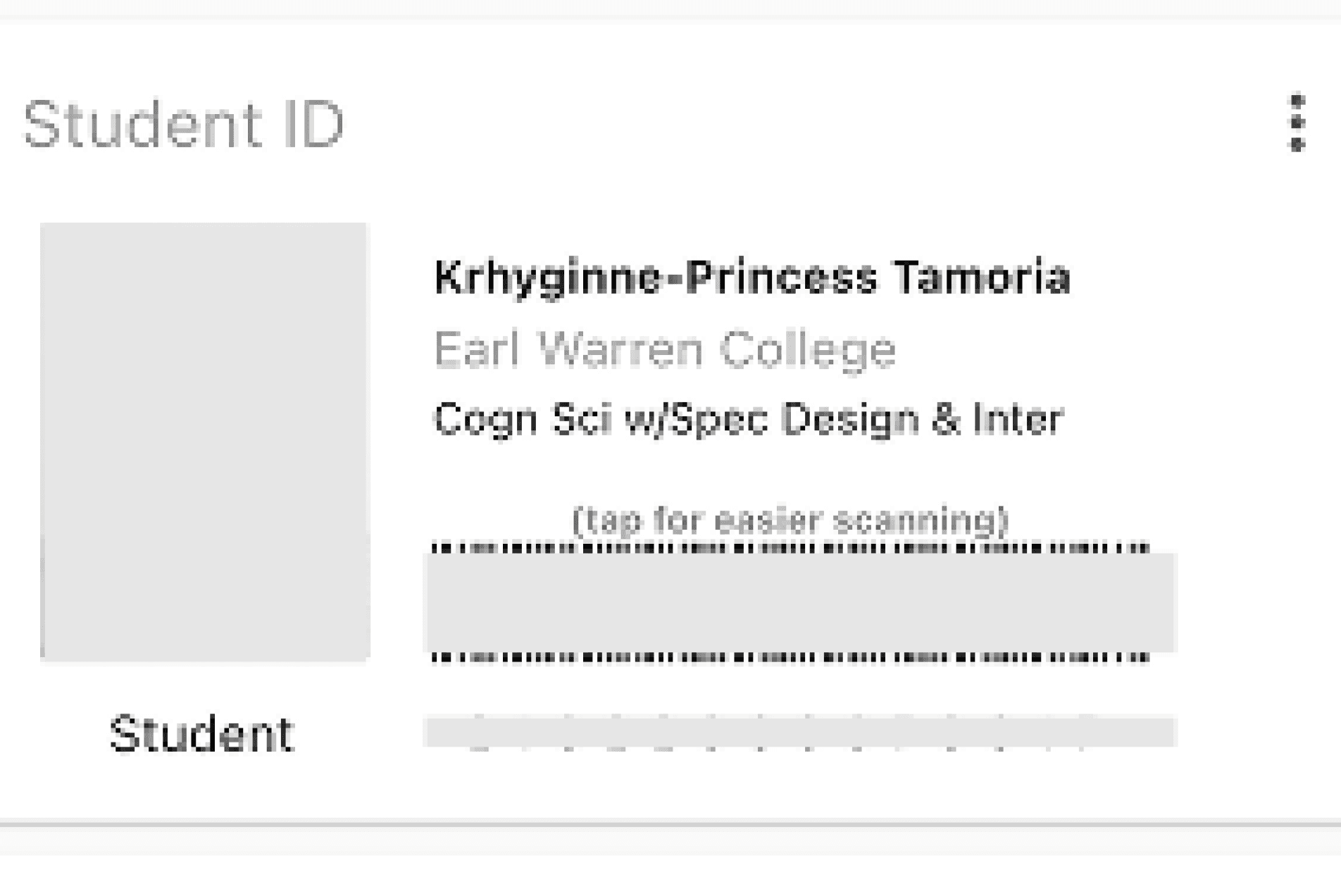
Barcode display optimization

Barcode display optimization

  • Removed static barcode in favor of a button for a more apparent call-to-action.

Original
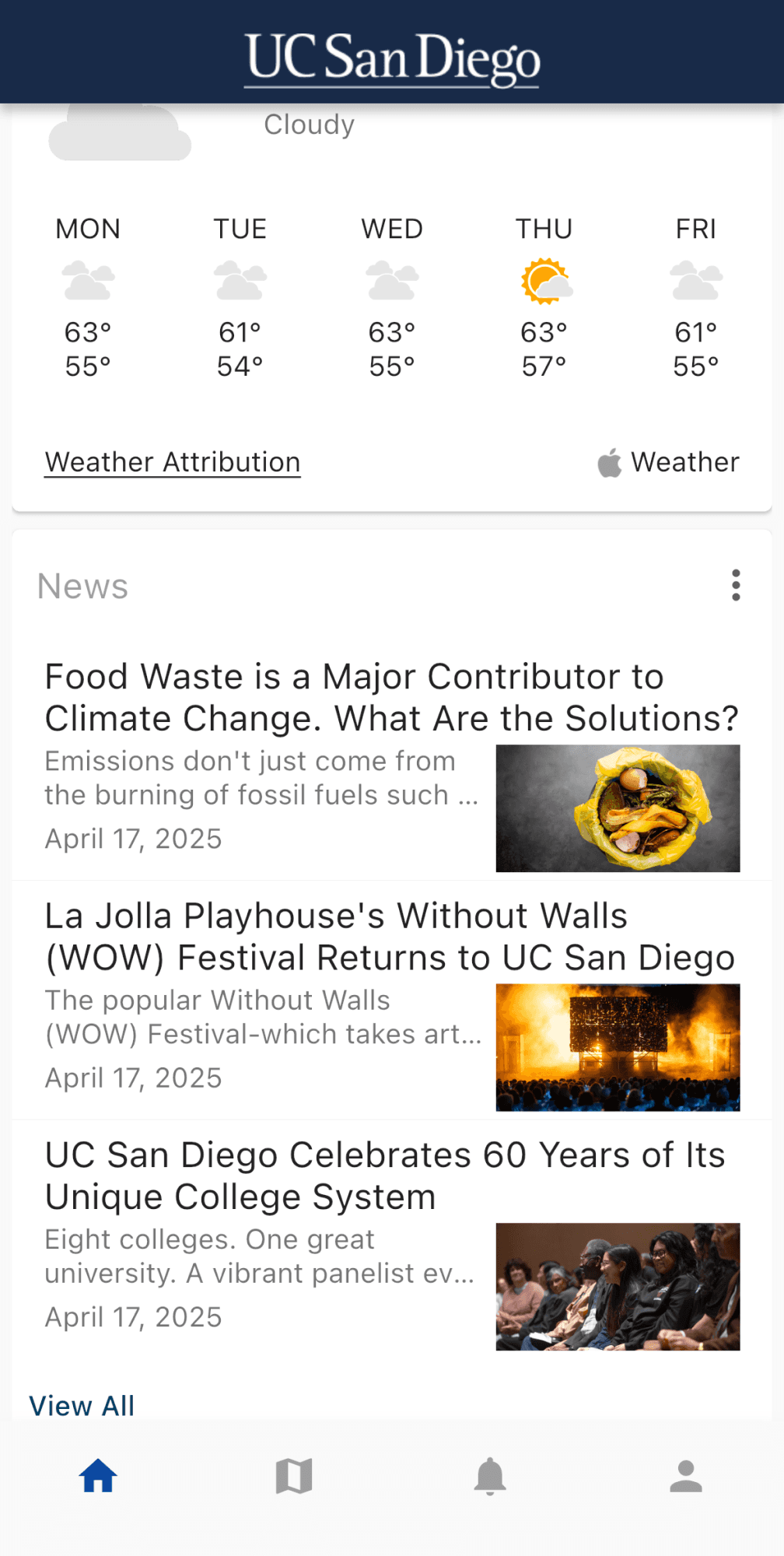
Redesign

Improved readability and layout clarity

Improved readability and layout clarity

  • Kept campus resources and information on the Homepage

Reflection

I learned...

the significance of designing using a clear, specific user task.

I was challenged in...

determining which content would truly be helpful to users, as this project was limited in real feedback.

If I had more time...

conduct user testing, send out surveys, or interview students to better validate the direction of my redesign.

Next Steps…

would be to test with real users to evaluate whether the solution improves the user experience

Krhyginne Tamoria

Product Designer

Krhyginne Tamoria

Product Designer